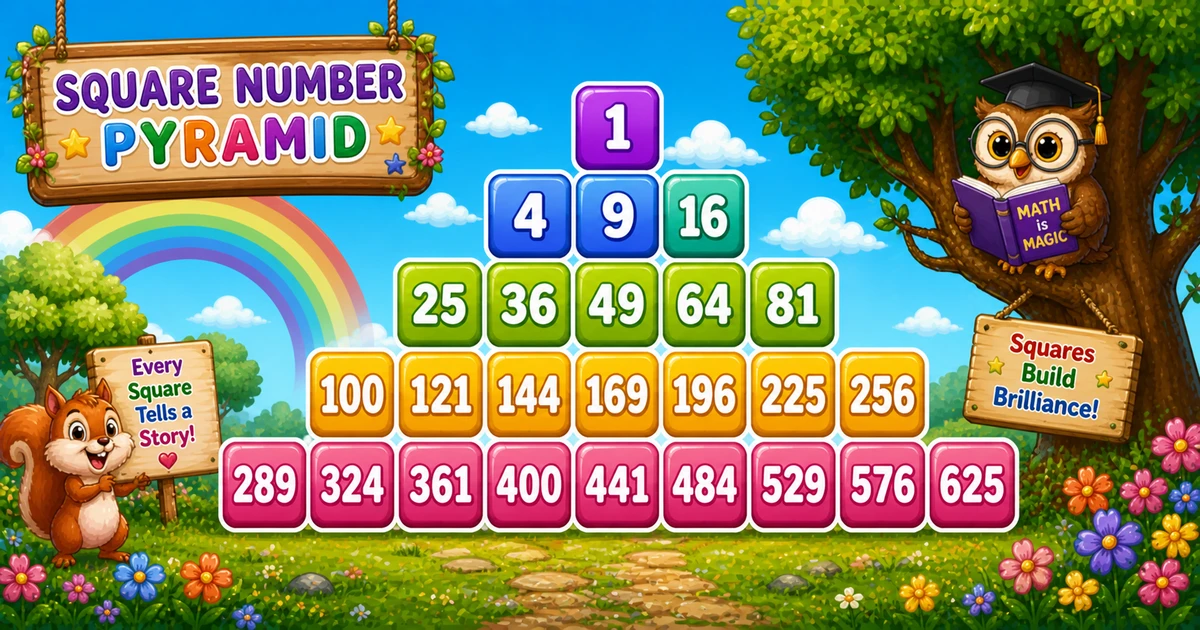
A square-number pyramid prints perfect squares in centered rows of odd length — 1 square, then 3, then 5, and so on — from a continuous counter m where each value is m².
Remember
Rule: i = 1, 3, 5, …; indent; print i values of m²

           1
       4   9  16
  25  36  49  64  81     ← 3 levels (setw(4))
Unlike Program 40 (alternating 1/0 with shrinking rows), this shape grows odd-width rows of consecutive perfect squares and centers them with leading spaces.
Approach
How to Solve It
Step i by 2 for odd widths, indent, then print the next i squares from counter m.
Method
Idea
Best for
Centered pyramid
Indent spaces + setw(4) of m*m
Learning, interviews, demos
Left-aligned
Same squares; skip the indent loop
Tracing values on paper
Pseudocode
Pseudocode
m = 1
maxWidth = 2 * levels - 1
for i from 1 to maxWidth step 2:
    print leading spaces for centering
    repeat i times:
        print m*m in width 4 (no newline)
        m = m + 1
    print newline
Cheat sheet
Goal
Pattern
Odd row widths
for (i = 1; i <= maxWidth; i += 2)
Center the row
for (j = i; j < maxWidth; j++) cout << " ";
Print next square
cout << setw(4) << m * m; m++;
End the row
cout << "\n";
Levels → max width
maxWidth = 2 * levels - 1;
Need setw
#include <iomanip>
Printing Numbers vs Starting a New Line
API
Effect
Use for
cout << setw(4) << m * m
Stays on the same line
Each square
cout << "\n"
Ends the current line
After the print loop
Print squares without a newline, then end the row once. cout << endl also ends the line and flushes; "\n" is enough for these demos.
Try it
Live Preview
Change the level count and the square-number pyramid updates instantly — including the n² square total.
Whole numbers from 1 to 6. Tap a chip or type a value — the preview redraws as you go.
With maxWidth = 5, trace each odd i, indent pairs, m range, and printed squares.
i
Indent pairs
m values
Squares
Count
1
4
1
1
1
3
2
2..4
4 9 16
3
5
0
5..9
25 36 49 64 81
5
Total squares: 1 + 3 + 5 = 9 = 3². Never reset m between rows or the sequence restarts.
Code
C++ Programs
Three complete programs: fixed 5 levels, cin levels, and a left-aligned trace demo. Use View Output to reveal sample results.
Example 1 — Fixed 5 Levels
Hard-coded maxWidth = 9 — ideal for first demos and screenshots.
C++
#include <iostream>
#include <iomanip>
using namespace std;

int main()
{
    int i, j, k;
    int m = 1;

    for (i = 1; i <= 9; i += 2)
    {
        for (j = i; j < 9; j++)
            cout << "  ";

        for (k = 1; k <= i; k++)
        {
            cout << setw(4) << m * m;
            m++;
        }

        cout << "\n";
    }

    return 0;
}
1. Outer loop steps by 2.i is 1, 3, 5, 7, 9 — the number of squares on that row.
2. Indent for centering. Print " " while j runs from i to just below 9 so narrow rows sit under the widest row.
3. Print squares from m. Each column is setw(4) << m * m, then m++ — never reset m between rows.
When i = 1 you get 1; when i = 3 you get 4, 9, 16.
Example 2 — User Input Levels
Read the level count at runtime and set maxWidth = 2 * levels - 1. Prefer validating cin (tip below).
C++
#include <iostream>
#include <iomanip>
using namespace std;

int main()
{
    int levels;
    int i, j, k;
    int m = 1;
    int maxWidth;

    cout << "Enter number of levels: ";
    cin >> levels;

    maxWidth = 2 * levels - 1;

    for (i = 1; i <= maxWidth; i += 2)
    {
        for (j = i; j < maxWidth; j++)
            cout << "  ";

        for (k = 1; k <= i; k++)
        {
            cout << setw(4) << m * m;
            m++;
        }

        cout << "\n";
    }

    return 0;
}
Output (when user enters 3)
Enter number of levels: 3
           1
       4   9  16
  25  36  49  64  81
How It Works
1. Prompt and map levels.maxWidth = 2 * levels - 1 — for 3 levels, the widest row has 5 squares.
2. Same pyramid core. Indent, print m*m, increment m — identical to Example 1.
3. Safer input tip. Prefer:
Safer input
if (!(cin >> levels) || levels < 1)
{
    cout << "Enter a whole number of levels (1 or more).\n";
    return 1;
}
Example 3 — Left-Aligned Pyramid
Same squares and counter — skip the indent loop to make tracing easier on paper.
C++
#include <iostream>
#include <iomanip>
using namespace std;

int main()
{
    int i, k;
    int m = 1;

    for (i = 1; i <= 9; i += 2)
    {
        for (k = 1; k <= i; k++)
        {
            cout << setw(4) << m * m;
            m++;
        }
        cout << "\n";
    }

    return 0;
}
Output (first 3 rows)
   1
   4   9  16
  25  36  49  64  81
How It Works
1. Only indent is removed.m*m, setw(4), and i += 2 stay the same as Example 1.
2. Rows grow rightward. Without leading spaces, the shape is flush left — good for checking values.
3. Add centering later. Put the indent loop back when you want the pyramid look.
Edge Cases & Pitfalls
Check these before calling the solution done.
m reset
Restarting squares
If you set m = 1 inside the outer loop, every row starts at 1 again. Keep m outside both print loops.
forget m++
Same square forever
Printing m*m without m++ repeats the same value. Increment after every printed square.
\n early
Column of squares
If cout << "\n" is inside the print loop, each square lands on its own line. End the row only after printing all i squares.
i++
Wrong widths
Stepping by 1 prints even-width rows too. Use i += 2 so widths stay 1, 3, 5, …
setw overflow
Wide squares
When squares reach 1000+, bump to setw(5) (or more) and widen the indent pair if needed.
Bad cin
Validate levels
Check cin >> levels and require levels >= 1 before building maxWidth.
Analysis
Time and Space Complexity
Program
Time
Extra space
Centered / left-aligned (Examples 1–3)
O(levels²)
O(1)
Total squares = 1 + 3 + 5 + … + (2n - 1) = n² for n levels. Indent work is the same order. Only a few integers of extra memory.
Remember
Key Takeaways
Rule: odd i, indent, print i values of m*m with m++ and setw(4).
Counter: keep m outside the outer loop so squares continue across rows.
Break the row: call cout << "\n" only after the square-print loop.
Complexity:O(n²) time from n² printed squares; O(1) extra space.
One line: for odd i, indent, print setw(4) << m*m while m++ for i times, then end the line.
Frequently Asked Questions
A centered pyramid of perfect squares: row 1 prints 1 (1²), row 2 prints 4 9 16 (2², 3², 4²), and so on.
The outer loop increases i by 2 each time (i += 2), so i takes odd values — each becomes the count of squares printed on that row.
An indentation loop prints spaces before each row. As i grows, fewer spaces are printed, so wider rows shift left and stay centered.
m starts at 1 and increments after every printed square. Each value printed is m*m — the next perfect square in sequence.
setw(4) reserves 4 columns per square (right-aligned), keeping the pyramid aligned as values grow from 1 to 625. Without it, columns drift apart.
Printing with setw stays on the same line for each square. Printing a newline ends the current line. Squares use cout without a newline; the row break uses cout << "\n" after the print loop.
O(n²) for n levels — total prints are 1+3+5+...+(2n-1) = n².
For many levels, m*m overflows int. Switch m to long when squares exceed about 46340.
🤔
Did you know?
Each printed value is m² from a running counter m. Row widths are odd (1, 3, 5, 7, 9) — total prints for n levels = n².