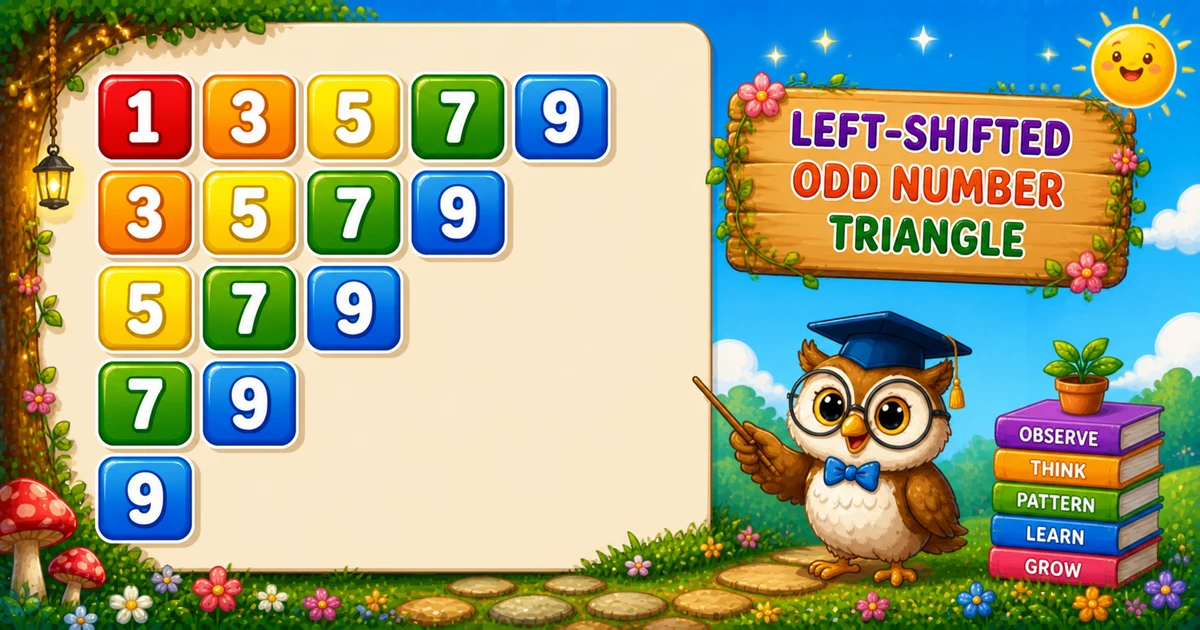
A left-shifted odd number triangle prints only odd values with both loops stepping by 2. Each row starts at a larger odd, so the sequence shortens — 13579, 3579, 579, 79, 9.
Remember
Rule: for i from 1 to max step 2
        for j from i to max step 2: print j

13579
3579
579
79
9         ← max = 9
Follows the ascending-inner binary triangle in Program 16; next is the alternating odd/even triangle in Program 18.
Approach
How to Solve It
Outer loop picks the row start i (odd values). Inner loop prints odds from i through max with j += 2.
Method
Idea
Best for
Step-by-2 nested loops
Outer i = 1..max step 2; inner j = i..max step 2
Learning, interviews, exams
Even-number twin
Start at 2 with the same += 2 steps
Even-only left-shifted triangle
Pseudocode
Pseudocode
for i from 1 to max step 2:
    for j from i to max step 2:
        print j
    print newline
Cheat sheet
Goal
Pattern
Pick row start
for (i = 1; i <= max; i += 2)
Print odds on row
for (j = i; j <= max; j += 2) cout << j;
End of row
cout << "\n";
Force odd max
if (max % 2 == 0) max -= 1;
Even variant
Start both loops at 2 instead of 1
Printing Numbers vs Starting a New Line
API
Effect
Use for
cout << j
Stays on the same line
Each odd digit on the row
cout << "\n"
Ends the current line
After the inner loop finishes
Print digits without a newline, then end the row once.
Try it
Live Preview
Change the odd maximum and the left-shifted triangle updates instantly — even values are adjusted down to the nearest odd.
Whole numbers from 1 to 9. Prefer odd maxima; even input is reduced by 1 for this demo.
Live resultmax = 9 · 15 digits
13579
3579
579
79
9
Trace
Worked Walkthrough — max = 9
Trace how i += 2 shifts the start while j += 2 prints only odds.
i
Inner j
Prints
1
1, 3, 5, 7, 9
13579
3
3, 5, 7, 9
3579
5
5, 7, 9
579
9
9
9
For odd n, row count = (n+1)/2. Digits still grow as O(n²).
Code
C++ Programs
Three complete programs: fixed max = 9, cin input (forced odd), and a compact max = 5 demo. Use View Output to reveal sample results.
Example 1 — Fixed max = 9
Hard-coded odd maximum — both loops step by 2 so only odds print.
C++
#include <iostream>
using namespace std;

int main()
{
    int max = 9;
    int i, j;

    for (i = 1; i <= max; i += 2)
    {
        for (j = i; j <= max; j += 2)
            cout << j;
        cout << "\n";
    }

    return 0;
}
Output
13579
3579
579
79
9
How It Works
1. Outer picks the start.i visits 1, 3, 5, 7, 9.
2. Inner prints odds from there.j runs from i to max stepping by 2.
3. Newline. Call cout << "\n" only after the inner loop finishes the row.
Example 2 — User Input Max
Read max with cin, validate, force odd if needed, then run the same nested loops.
C++
#include <iostream>
using namespace std;

int main()
{
    int max;
    int i, j;

    cout << "Enter the maximum value: ";
    if (!(cin >> max) || max <= 0)
    {
        cout << "Please enter a positive integer.\n";
        return 1;
    }
    if (max % 2 == 0)
        max -= 1;

    for (i = 1; i <= max; i += 2)
    {
        for (j = i; j <= max; j += 2)
            cout << j;
        cout << "\n";
    }

    return 0;
}
Output (when user enters 7)
Enter the maximum value: 7
1357
357
57
7
How It Works
1. Prompt and validate. Reject failed reads and non-positive values before printing.
2. Force odd. Even input loses one so the last printed value stays an odd number.
3. Same core. Outer / inner step-by-2 matches Example 1 — only max comes from the user.
Example 3 — Compact max = 5
Same structure with a smaller odd maximum — easy to confirm the left shift.
C++
#include <iostream>
using namespace std;

int main()
{
    int max = 5;
    int i, j;

    for (i = 1; i <= max; i += 2)
    {
        for (j = i; j <= max; j += 2)
            cout << j;
        cout << "\n";
    }

    return 0;
}
Output
135
35
5
How It Works
1. Three rows.i = 1 → 135; i = 3 → 35; i = 5 → 5.
2. Trace on paper. If you used j++ instead of j += 2, even digits would appear and the odd-only rule would break.
3. Scale up next. Once the small demo is clear, use Examples 1–2 for max = 9 or user input.
Edge Cases & Pitfalls
Check these before calling the solution done.
j++
Even digits appear
Using j++ instead of j += 2 prints consecutive integers. Keep the step of 2 for odds only.
even max
Last value looks wrong
An even max still skips evens, but force odd first so the intended largest odd is clear: if (max % 2 == 0) max -= 1;.
\n inside
Broken rows
If cout << "\n" sits inside the inner loop, each digit lands on its own line. Call it only after the row finishes.
max = 1
Single digit
Output is just 1 — a good sanity check for input validation.
max > 9
Multi-digit width
Values 11+ make tight rows hard to read. Cap demos at 9 or switch to spaced cout << j << " ".
cin
Check the stream
Validate cin >> max before looping — a failed read leaves max unset or stale.
Analysis
Time and Space Complexity
Program
Time
Extra space
Fixed / input (Examples 1–2)
O(n²)
O(1)
Compact max = 5 (Example 3)
O(n²)
O(1)
About half the integers are visited because of step size 2, but nested loops still give O(n²) time. Only a few loop variables are needed.
Remember
Key Takeaways
Step by 2: both i += 2 and j += 2 keep every value odd.
Left shift: each row starts at a larger odd i, so the triangle shortens.
Break the row:cout << j in the inner loop; cout << "\n" after it.
Complexity:O(n²) time; O(1) extra space. Prefer an odd max.
One line: for each odd start i, print odds from i to max, then newline.
Frequently Asked Questions
A left-shifted odd-number triangle: for max=9 you get 13579, 3579, 579, 79, 9 — only odd digits, and each row starts further to the right.
Both loops increment by 2 (i += 2 and j += 2), so they visit only odd values: 1, 3, 5, 7, 9.
Each next row starts from a larger odd number (i increases by 2), so fewer digits print on that row.
On the last iteration, i = 9, so the inner loop prints only 9 once.
Subtract 1 (max -= 1) so the last printed value stays the largest odd ≤ max — see Example 2.
cout << j stays on the same line. cout << "\n" ends the current line. Digits use cout << j; the row break uses cout << "\n" after the inner loop.
After prompting, use if (!(cin >> max) || max <= 0) to reject bad input before printing.
O(n²) for maximum n. Only about half the integers are visited due to step size 2, but nested loops still dominate.
🤔
Did you know?
Both loops step by 2 with i += 2 and j += 2, so only odd numbers print. Each row starts at a larger odd value, so the triangle shifts left — still O(n²) for maximum n.