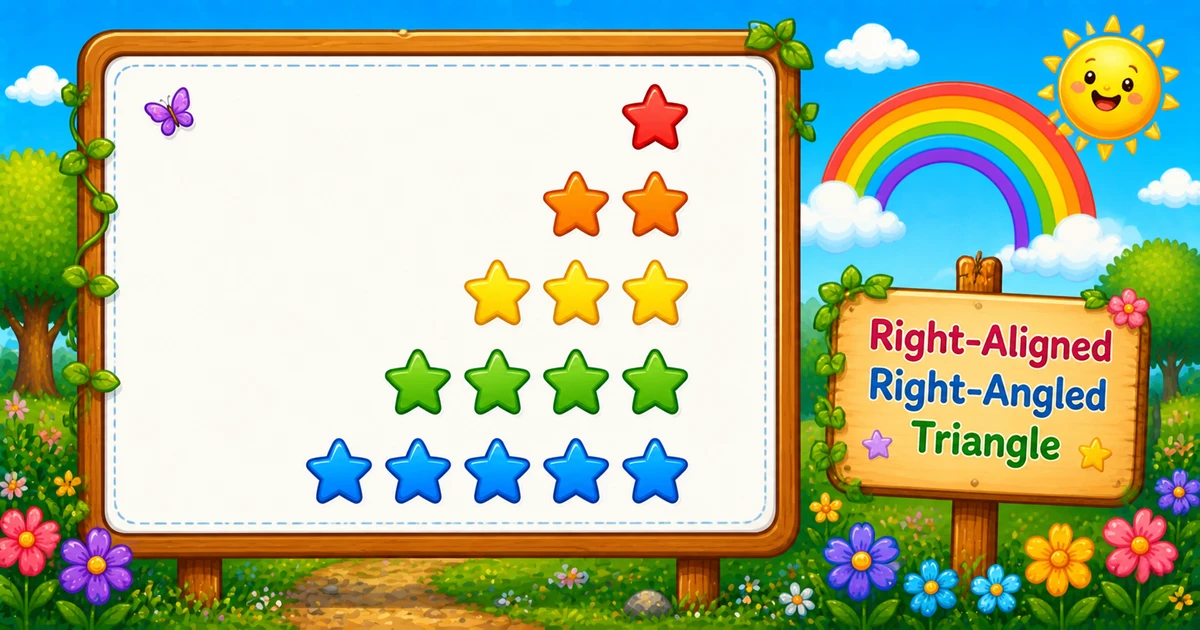
A right-aligned right-angled triangle keeps the same star counts as Program 1, but adds leading spaces so the right edge stays flush: row i prints rows - i spaces, then i stars.
Remember
Rule: on row i, print (rows - i) spaces, then i stars

    *     ← 4 spaces + 1 star
   **
  ***
 ****
*****     ← 0 spaces + 5 stars (5 rows)
In C you use one outer loop for the row and two inner loops: one for spaces, one for stars, then printf("\n") to move down. Every line is exactly rows characters wide. That space loop is the usual step toward centered pyramids.
Approach
How to Solve It
Two ways to emit the same shape — start with nested loops, then optionally shorten with a print_chars helper.
Method
Idea
Best for
Two inner loops
Spaces via printf(" "), then stars via printf("*")
Learning, interviews, exams
print_chars helper
Reuse one loop for padding and stars
Cleaner demos once formulas click
Pseudocode
Pseudocode
for i from 1 to rows:
    for j from 1 to (rows - i):
        print " " (no newline)
    for k from 1 to i:
        print "*" (no newline)
    print newline
Change the row count and the right-aligned triangle updates instantly — including star total and line width.
Whole numbers from 1 to 20. Tap a chip or type a value — each line is that many characters wide.
Live result5 rows · 15 stars · width 5
    *
   **
  ***
 ****
*****
Trace
Worked Walkthrough — rows = 4
Trace spaces, stars, and total width for each outer-loop value of i.
i
Spaces rows - i
Stars
Width
Printed row
1
3
1
4
*
2
2
2
4
**
3
1
3
4
***
4
0
4
4
****
Every row has width 4. Star total: 1 + 2 + 3 + 4 = 10 = 4×5/2. Character prints are still O(n²).
Code
C Programs
Three complete programs: fixed rows, console input, and a print_chars helper. Use View Output to reveal sample results.
Example 1 — Fixed rows = 5
Hard-coded height — space loop first, then star loop.
c
#include <stdio.h>

int main(void) {
    int rows = 5;
    int i, j, k;

    for (i = 1; i <= rows; ++i) {
        for (j = 1; j <= rows - i; ++j) {
            printf(" ");
        }
        for (k = 1; k <= i; ++k) {
            printf("*");
        }
        printf("\n");
    }

    return 0;
}
Output
    *
   **
  ***
 ****
*****
How It Works
1. Set height.rows = 5 means five lines, each five characters wide.
2. Outer loop picks the row.i runs from 1 to rows.
3. First inner loop prints spaces.j runs from 1 to rows - i, so row i gets rows - i leading spaces.
4. Second inner loop prints stars.k runs from 1 to i — same star counts as Program 1.
5. Break the line.printf("\n") after both inner loops starts the next row.
When i = 1 you get 4 spaces and *; when i = 5 you get 0 spaces and five stars.
Example 2 — User Input Version
Read the row count at runtime. Prefer checking scanf’s return value (shown in the tip below).
c
#include <stdio.h>

int main(void) {
    int rows;
    int i, j, k;

    printf("Enter the number of rows: ");
    scanf("%d", &rows);

    for (i = 1; i <= rows; ++i) {
        for (j = 1; j <= rows - i; ++j) {
            printf(" ");
        }
        for (k = 1; k <= i; ++k) {
            printf("*");
        }
        printf("\n");
    }

    return 0;
}
Output (when user enters 4)
Enter the number of rows: 4
   *
  **
 ***
****
How It Works
1. Prompt and read. Ask for a row count, then fill rows with scanf.
2. Same space/star core. Only the source of rows changes — the print logic matches Example 1.
3. Safer input tip. Ignoring scanf’s return leaves rows unset on bad input. Prefer:
Safer input
if (scanf("%d", &rows) != 1 || rows < 1) {
    printf("Enter a positive whole number.\n");
    return 1;
}
Example 3 — print_chars Helper
Encode each segment once with putchar; the outer loop only picks counts.
c
#include <stdio.h>

void print_chars(char ch, int n) {
    int j;
    for (j = 1; j <= n; ++j) {
        putchar(ch);
    }
}

int main(void) {
    int rows = 5;
    int i;

    for (i = 1; i <= rows; ++i) {
        print_chars(' ', rows - i);
        print_chars('*', i);
        putchar('\n');
    }

    return 0;
}
Output
    *
   **
  ***
 ****
*****
How It Works
1. One helper for runs.print_chars(ch, n) prints n copies of ch with putchar.
2. Same formulas. Still print rows - i spaces, then i stars.
3. Cleaner main loop. The outer loop only chooses which segments to call — useful once you can explain the math out loud.
Learn the two-loop version first (Examples 1–2) so both bounds stay visible in an interview; treat the helper as a polish shortcut afterward.
Edge Cases & Pitfalls
Check these before calling the solution done.
No spaces
Looks like Program 1
Skipping the space loop reprints the left-aligned triangle. Print rows - i spaces before the stars.
Swapped bounds
Broken right edge
Spaces must be rows - i and stars i. Swapping them loses the flush right edge.
j < rows - i
Off-by-one padding
Use j <= rows - i. A strict < drops one needed space on most rows.
Tabs
Use real spaces
Print " " (or ' '), not tabs — tabs break alignment across fonts and editors.
rows = 1
Single star
0 spaces + 1 star — same as Program 1 for n = 1.
rows ≤ 0
Empty output
Outer loop never runs. Validate and re-prompt for interactive programs.
Bad scanf
Check the return
If scanf fails, rows is uninitialized — always test != 1.
Analysis
Time and Space Complexity
Program
Time
Extra space
Nested space/star loops (Examples 1–2)
O(rows²)
O(1)
print_chars helper (Example 3)
O(rows²)
O(1)
Each of n rows prints Θ(n) characters (spaces + stars). Star count alone is still n(n+1)/2.
Remember
Key Takeaways
Rule: row i prints rows - i spaces, then i stars.
Two inner loops: padding first, then stars with printf (or putchar).
Width check: every row has length rows before printf("\n").
Complexity:O(n²) time; O(1) extra space for nested loops.
One line: for each row i, print rows - i spaces, then i stars, then printf("\n").
Frequently Asked Questions
The outer loop runs i from 1 to rows. For each row i, print (rows - i) spaces, then i stars. Row 1 has the most padding and one star; the last row has no spaces and rows stars.
Spaces and stars follow different formulas. One loop prints spaces from 1 to rows minus i; another prints stars from 1 to i. Without the space loop, output stays left-aligned like Program 1.
printf("*") or printf(" ") stays on the same line. printf("\n") ends the current line. Spaces and stars use printf without a newline; the row break comes after both inner loops.
Program 1 prints only i stars per row. Program 3 prints (rows - i) spaces first, then i stars, so the same star counts sit flush on the right.
O(n²) where n is the number of rows. Each of n rows prints about n characters (spaces plus stars).
Yes. putchar(' ') in a loop of (rows - i), then putchar('*') in a loop of i, then putchar('\n') builds each row without printf format strings.
Check scanf's return value: if (scanf("%d", &rows) != 1) handle bad input. Unchecked scanf leaves rows uninitialized on failure.
The right edge no longer stays flush. Keep spaces = rows - i and stars = i.
🤔
Did you know?
Right-aligned and left-aligned triangles use the same star counts per row; only leading spaces change. Each row prints exactly rows characters before the newline: (rows - i) + i = rows.