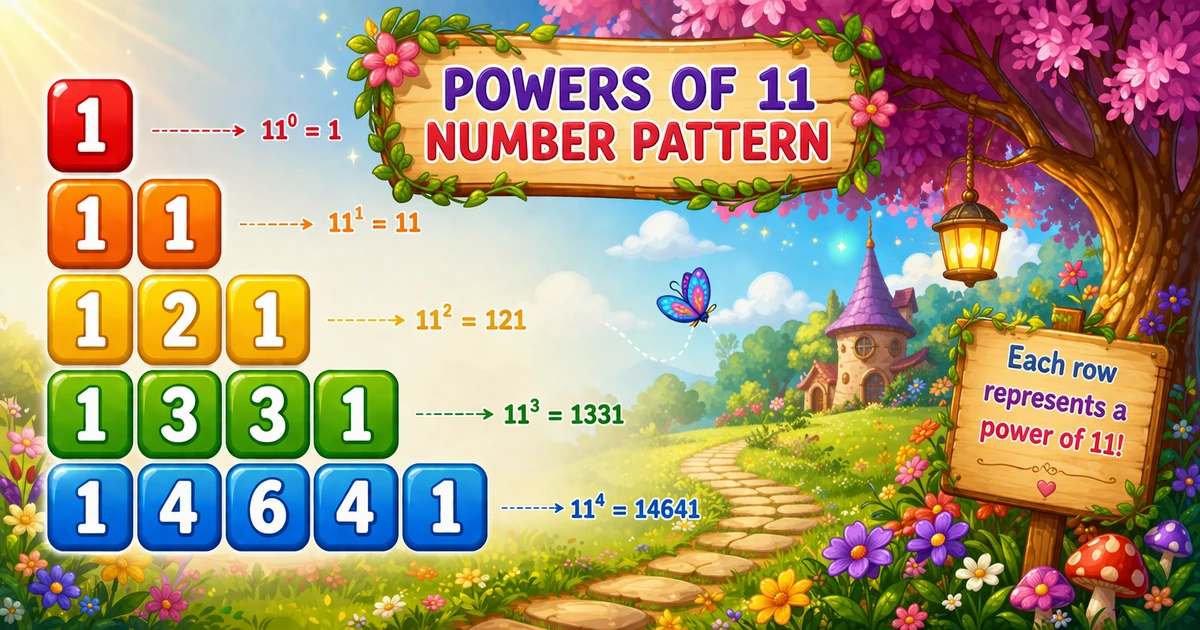
A powers-of-11 sequence prints one growing number per row: start at 1, then multiply by 11 for each next line. No nested loops — just a running variable.
Remember
Rule: res = 1
      for each row: print res, then res *= 11

1
11
121
1331
14641     ← n = 5
Follows the concentric diamond in Program 47; next is the triangular multiplication pattern in Program 49.
Approach
How to Solve It
Keep one variable res. Print it, multiply by 11, repeat. Prefer print-then-multiply over an if (i == 1) special case.
Method
Idea
Best for
If / else first row
if (i == 1) res = 1; else res *= 11;
Matching textbook wording
Print then multiply
printf(...); res *= 11;
Cleaner demos and labs
Pseudocode
Pseudocode
res = 1
for i from 1 to n:
    print res and a newline
    res = res * 11
Cheat sheet
Goal
Pattern
Start value
int res = 1;
Loop rows
for (i = 1; i <= n; i++)
Print value
printf("%d\n", res);
Next value
res *= 11;
Wider range
long long res = 1; + %lld
Printing Numbers vs Starting a New Line
API
Effect
Use for
printf("%d ", res)
Stays on the same line
Horizontal list (optional)
printf("%d\n", res)
Ends the current line
One value per row (this pattern)
Here each term is its own row, so use the newline form.
Try it
Live Preview
Change n and the sequence updates instantly — capped at 10 so values stay within safe integer range for demos.
Whole numbers from 1 to 10. Tap a chip or type a value — the preview redraws as you go.
Live resultn = 5 · 5 values
1
11
121
1331
14641
Trace
Worked Walkthrough — n = 5
Trace how res grows with print-then-multiply.
Row i
res before print
Prints
After *= 11
1
1
1
11
2
11
11
121
3
121
121
1331
4
1331
1331
14641
5
14641
14641
161051
Five prints, one multiply per row → O(n) time and O(1) extra space.
Code
C Programs
Three complete programs: fixed n with if/else, scanf input, and a cleaner print-then-multiply loop. Use View Output to reveal sample results.
Example 1 — Fixed n = 5
Hard-coded row count — textbook style with if (i == 1).
C
#include <stdio.h>

int main(void)
{
    int i, res = 1;

    for (i = 1; i <= 5; i++)
    {
        if (i == 1)
            res = i;
        else
            res = res * 11;

        printf("%d\n", res);
    }

    return 0;
}
Output
1
11
121
1331
14641
How It Works
1. First row. When i == 1, set res = 1 and print it.
2. Later rows. Multiply the previous value by 11 before printing.
3. Result. Five lines: 1, 11, 121, 1331, 14641.
Example 2 — User Input n
Read row count with scanf and reject non-positive values.
C
#include <stdio.h>

int main(void)
{
    int n;
    int i, res = 1;

    printf("Enter number of rows: ");
    if (scanf("%d", &n) != 1 || n <= 0)
    {
        printf("Please enter a positive integer.\n");
        return 1;
    }

    for (i = 1; i <= n; i++)
    {
        if (i == 1)
            res = 1;
        else
            res = res * 11;

        printf("%d\n", res);
    }

    return 0;
}
Output (when user enters 4)
Enter number of rows: 4
1
11
121
1331
How It Works
1. Prompt and validate. Reject bad input with a clear message.
2. Same core. Only the loop limit comes from the user — multiply logic stays identical.
3. Safer input tip. Cap demos before int overflow (around row 10):
Safer input
if (scanf("%d", &n) != 1 || n < 1 || n > 9)
{
    printf("Enter a whole number from 1 to 9.\n");
    return 1;
}
Example 3 — Print Then Multiply
Print res first, then update with res *= 11 — no special-case if.
C
#include <stdio.h>

int main(void)
{
    int i;
    int res = 1;

    for (i = 1; i <= 5; i++)
    {
        printf("%d\n", res);
        res *= 11;
    }

    return 0;
}
Output
1
11
121
1331
14641
How It Works
1. Start at one.res = 1 means the first print is already correct.
2. Update after print. Multiply happens after printing, so the next iteration sees the new value.
3. Prefer this form. Same output as Example 1 with a shorter loop body — great for interviews and labs.
Edge Cases & Pitfalls
Check these before calling the solution done.
overflow
int runs out of room
Around row 10, int overflows. Use long long for a bit more range, or big integers for large n.
*= before print
Skipped first 1
If you multiply before the first print, row 1 becomes 11. Print first, then multiply — or keep the if (i == 1) form.
%d space
All on one line
Using printf("%d ", res) without \n prints a horizontal list. Use %d\n for one value per row.
Pascal myth
Digits stop matching Pascal
Early rows look like binomial coefficients; after base-10 carries (row 6+), the digits no longer match Pascal’s triangle.
n = 1
Single row
Output is just 1 — a good sanity check for input validation.
scanf
Check the return value
If scanf fails, n may be uninitialized — always test scanf(...) == 1.
Analysis
Time and Space Complexity
Program
Time
Extra space
Fixed / input (Examples 1–2)
O(n)
O(1)
Print then multiply (Example 3)
O(n)
O(1)
One multiply and one print per row — linear in n. Digits per value grow with n, but the loop itself stays O(n) for fixed-width integers.
Remember
Key Takeaways
Rule: start at 1, print, then res *= 11 for each next row.
Prefer print-then-multiply: no if (i == 1) needed when res starts at 1.
One value per line: use printf("%d\n", res) for this pattern.
Complexity:O(n) time, O(1) extra space — watch int overflow past ~row 9.
One line:res = 1; for each row print res, then res *= 11.
Frequently Asked Questions
It starts with res = 1 and, for each next row, multiplies res by 11. This produces 1, 11, 121, 1331, 14641 for the first 5 lines.
Yes — increase the loop limit or read n from user input. For many rows, use long long or arbitrary-precision types because values grow quickly.
11^n shows binomial coefficients only while there are no carry-overs in base-10. Once carries occur, digits no longer match the triangle.
O(n) for n rows because the program computes and prints one value per row.
Program 47 prints a 2D concentric number diamond with nested loops. Program 48 prints a 1D growing sequence with one loop.
Yes — int overflows around row 10. Use long long for a bit more range, or big-integer libraries for large n.
Yes — print res first, then multiply: printf("%d\n", res); res *= 11; — see Example 3.
No — a single loop with a running variable is enough for this sequence pattern.
🤔
Did you know?
Start with res = 1, print it, then update with res *= 11 each row. For the first five rows you get 1, 11, 121, 1331, 14641 — one value per line, O(n) time.