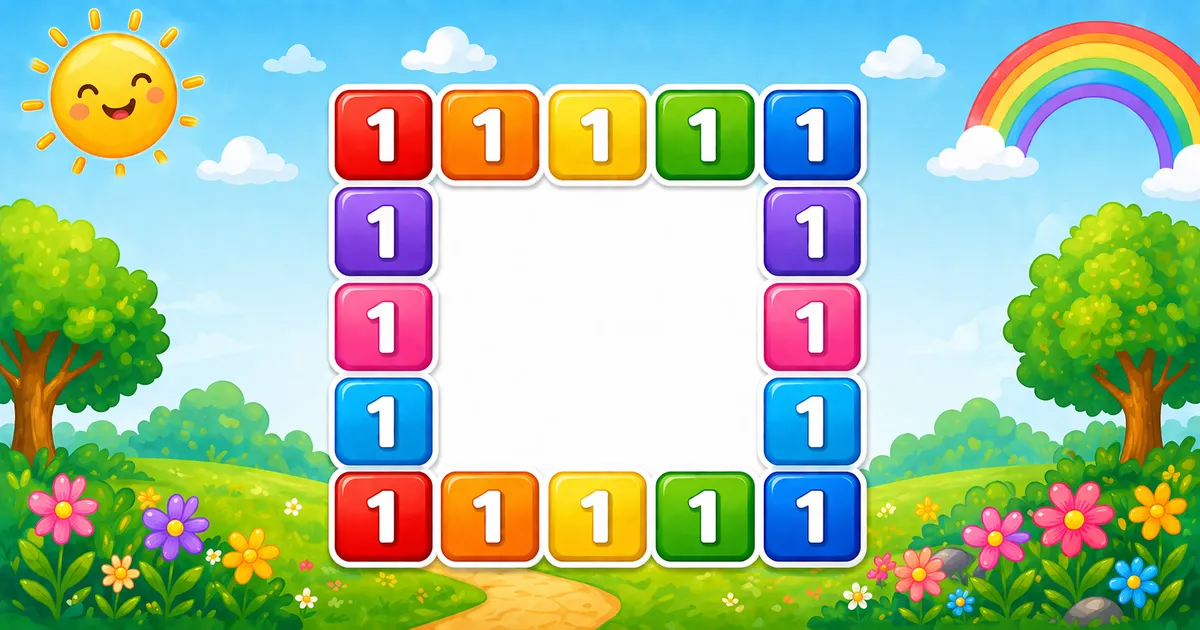
A hollow square border prints 1 only on the first/last row and first/last column of an n × n grid. Interior cells print spaces so the frame stays hollow.
Remember
Rule: for i from 1 to size
        for j from 1 to size
          if i or j is on the border: print "1 "
          else: print "  "
        print newline

1 1 1 1 1
1       1
1       1
1       1
1 1 1 1 1     ← size = 5
Start with fixed size = 5, then generalize with scanf — optionally swap the border character for *.
Method
Idea
Best for
Border check
Print "1 " on edges; " " inside
Learning, interviews, exams
Custom character
Same condition; print "* " on the border
Quick variants and demos
Pseudocode
Pseudocode
for i from 1 to size:
    for j from 1 to size:
        if i == 1 or i == size or j == 1 or j == size:
            print "1 " (no newline)
        else:
            print "  " (no newline)
    print newline
Cheat sheet
Goal
Pattern
Visit every cell
for (i = 1; i <= size; i++) / for (j = 1; j <= size; j++)
Border test
i == 1 || i == size || j == 1 || j == size
Print border
printf("1 ");
Print interior
printf(" ");
End the row
printf("\n");
Printing Numbers vs Starting a New Line
API
Effect
Use for
printf("1 ") / printf(" ")
Stays on the same line
Each cell in the row
printf("\n")
Ends the current line
After the inner loop
Print all cells without a newline, then end the row once.
Try it
Live Preview
Change the square size and the hollow border updates instantly.
Whole numbers from 2 to 9. Tap a chip or type a value — the preview redraws as you go.
Live result5×5 · 25 cells
1 1 1 1 1
1       1
1       1
1       1
1 1 1 1 1
Trace
Worked Walkthrough — Row i = 3, size = 5
Trace each column j on a middle row and decide border vs interior.
j
On border?
Why
Prints
1
Yes
j == 1
1
2
No
Interior
3
No
Interior
4
No
Interior
5
Yes
j == size
1
Row 3 output: 1 1. Total cells for size n = n² (here 25). Border cells for n >= 2 = 4n - 4.
Code
C Programs
Three complete programs: fixed size, scanf size, and an asterisk border. Use View Output to reveal sample results.
Example 1 — Fixed size = 5
Hard-coded 5×5 grid — print "1 " on the border and " " inside.
C
#include <stdio.h>

int main(void)
{
    int i, j;

    for (i = 1; i <= 5; i++)
    {
        for (j = 1; j <= 5; j++)
        {
            if (i == 1 || i == 5 || j == 1 || j == 5)
                printf("1 ");
            else
                printf("  ");
        }
        printf("\n");
    }

    return 0;
}
Output
1 1 1 1 1
1       1
1       1
1       1
1 1 1 1 1
How It Works
1. Visit every cell. Nested loops cover all 25 positions in the 5×5 grid.
2. Border test. If the cell sits on the first/last row or column, print "1 "; otherwise print two spaces.
3. End the line.printf("\n") runs only after the inner loop finishes the row.
When i = 1 every cell is a border; when i = 3 and j = 3 you get spaces.
Example 2 — User Input Size
Read size with scanf and reject values of 1 or less so a hollow frame is possible.
C
#include <stdio.h>

int main(void)
{
    int size;
    int i, j;

    printf("Enter square size: ");
    if (scanf("%d", &size) != 1 || size <= 1)
    {
        printf("Please enter an integer greater than 1.\n");
        return 1;
    }

    for (i = 1; i <= size; i++)
    {
        for (j = 1; j <= size; j++)
        {
            if (i == 1 || i == size || j == 1 || j == size)
                printf("1 ");
            else
                printf("  ");
        }
        printf("\n");
    }

    return 0;
}
Output (when user enters 4)
Enter square size: 4
1 1 1 1
1     1
1     1
1 1 1 1
How It Works
1. Prompt and validate. Reject non-integers and sizes ≤ 1 with a clear message.
2. Same core. Only the hard-coded 5 becomes size in both loops and the border check.
3. Safer input tip. You can also clamp the upper bound for demos:
Safer input
if (scanf("%d", &size) != 1 || size < 2 || size > 9)
{
    printf("Enter a whole number from 2 to 9.\n");
    return 1;
}
Example 3 — Asterisk Border
Keep size = 5 but print * on the border instead of 1.
C
#include <stdio.h>

int main(void)
{
    int size = 5;
    int i, j;

    for (i = 1; i <= size; i++)
    {
        for (j = 1; j <= size; j++)
        {
            if (i == 1 || i == size || j == 1 || j == size)
                printf("* ");
            else
                printf("  ");
        }
        printf("\n");
    }

    return 0;
}
Output
* * * * *
*       *
*       *
*       *
* * * * *
How It Works
1. Same structure. Loops and border condition are unchanged.
2. Swap the character. Only "1 " becomes "* " — keep the trailing space for column alignment.
3. Try other symbols.#, @, or 0 work the same way once the hollow frame is clear.
Edge Cases & Pitfalls
Check these before calling the solution done.
no check
Solid square
Printing 1 in every cell fills the grid. Keep the border condition so the interior stays hollow.
one space
Misaligned columns
Interior printf(" ") is only one character wide. Use printf(" ") to match "1 ".
hard-coded 5
Broken NxN input
If the border check still uses 5 after reading size, larger grids look wrong. Use size everywhere.
\n inside
Broken rows
If printf("\n") sits inside the inner loop, each cell lands on its own line. Call the newline only after the row finishes.
size = 1
No hollow interior
Output is a single 1. Prefer size >= 2 for a visible frame.
scanf
Check the return value
If scanf fails, size may be uninitialized — always test scanf(...) == 1.
Analysis
Time and Space Complexity
Program
Time
Extra space
Fixed / input (Examples 1–2)
O(size²)
O(1)
Asterisk border (Example 3)
O(size²)
O(1)
Every cell is visited once → n² prints. For size = 5 that is 25 cells (16 on the border).
Remember
Key Takeaways
Rule: print "1 " when i or j is on the edge; otherwise " ".
Match widths: border and interior each print two characters so columns stay aligned.
Break the row: call printf("\n") only after the inner loop.
Complexity:O(n²) time from n² cells; O(1) extra space.
One line: for each cell, print "1 " on the border or " " inside, then printf("\n") after each row.
Frequently Asked Questions
A hollow square prints characters only on the border (first/last row and first/last column) and leaves the inside blank with spaces.
It checks if i is 1 or size, or if j is 1 or size. If any condition is true, it prints 1; otherwise it prints spaces.
Use a size variable and loop from 1 to size for both i and j. Update the border check to use size instead of 5 — see Example 2.
Each border cell uses "1 " (digit plus space). Interior cells use " " so columns stay aligned in the console.
Size 2 gives a thin border frame. Size 1 prints a single 1 with no hollow interior.
Program 41 prints a centered pyramid of perfect squares. Program 42 prints a hollow square grid using border conditions.
Replace "1 " with "* " or "# " in the if branch — see Example 3.
O(n²) for an n×n grid because each cell is visited once.
🤔
Did you know?
Print 1 when i == 1, i == size, j == 1, or j == size; otherwise print spaces. A size × size grid visits n² cells — total prints = n².