C Descending Number Triangle Pattern (Left-Aligned)
Beginner
5 min read
Updated: Sep 2026
3 programs
Live preview
Definition
What Is This Pattern?
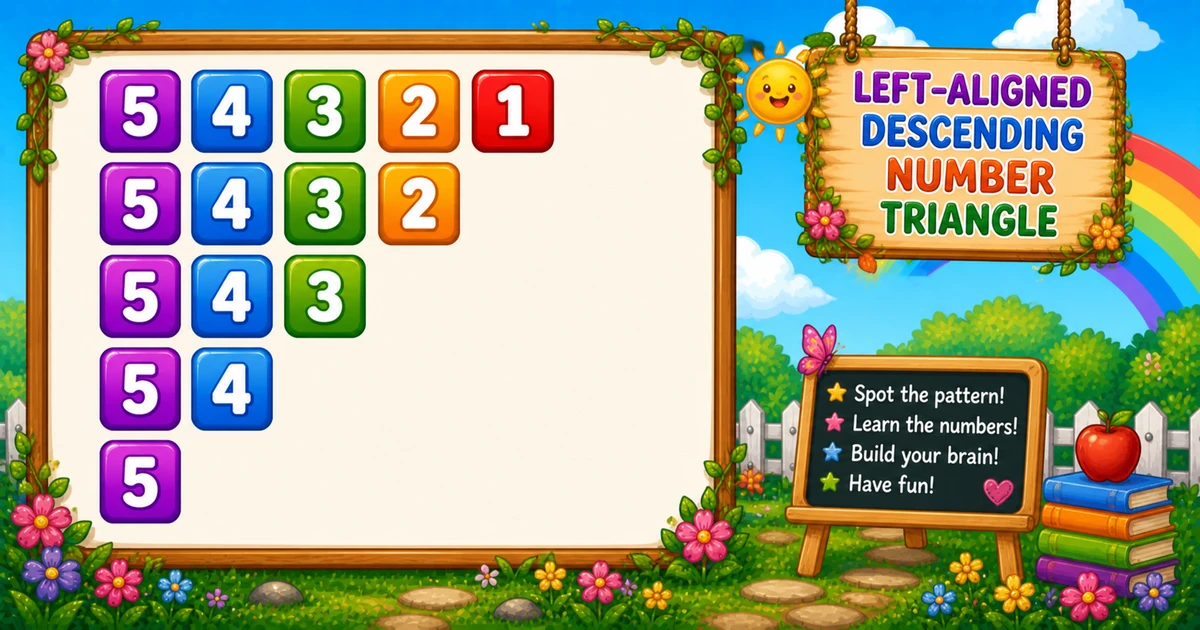
A left-aligned descending triangle prints each row starting at rows and counting down to i. Every row begins with the same maximum digit and gets one digit shorter.
Remember
Rule: for i from 1 to rows
      print j from rows down to i

54321
5432
543
54
5         ← rows = 5
Differs from Program 3 (which prints i..1 with a descending outer loop). Next is Program 5.
Approach
How to Solve It
Start with fixed rows = 5, then generalize with scanf — optionally space the digits for easier reading.
Method
Idea
Best for
Shrink from max
Outer i = 1..rows; inner j = rows..i
Learning, interviews, exams
Spaced digits
Same loops; printf("%d ", j)
Easier reading on long rows
Pseudocode
Pseudocode
for i from 1 to rows:
    for j from rows down to i:
        print j (no newline)
    print newline
Cheat sheet
Goal
Pattern
Walk each row
for (i = 1; i <= rows; i++)
Print rows..i
for (j = rows; j >= i; j--) printf("%d", j);
End the row
printf("\n");
Spaced variant
printf("%d ", j);
Digits on row i
rows - i + 1
Printing Numbers vs Starting a New Line
API
Effect
Use for
printf("%d", j)
Stays on the same line
Each digit in the row
printf("\n")
Ends the current line
After the inner loop
Print all digits without a newline, then end the row once.
Try it
Live Preview
Change the row count and the left-aligned descending triangle updates instantly — capped at 9 so every value stays a single digit.
Whole numbers from 1 to 9. Tap a chip or type a value — the preview redraws as you go.
Live result5 rows · 15 digits
54321
5432
543
54
5
Trace
Worked Walkthrough — rows = 4
Trace each outer-loop value of i and list the digits printed by the inner countdown.
i
Inner j = rows..i
Count
Printed row
1
4, 3, 2, 1
4
4321
2
4, 3, 2
3
432
3
4, 3
2
43
4
4
1
4
Total digits for n rows = n(n + 1)/2 (here 10). That triangular sum is why time is O(n²).
Code
C Programs
Three complete programs: fixed rows, scanf input, and a spaced-digit variant. Use View Output to reveal sample results.
Example 1 — Fixed rows = 5
Hard-coded row count — every row starts at 5 and stops at i.
C
#include <stdio.h>

int main(void)
{
    int rows = 5;
    int i, j;

    for (i = 1; i <= rows; i++)
    {
        for (j = rows; j >= i; j--)
            printf("%d", j);

        printf("\n");
    }

    return 0;
}
Output
54321
5432
543
54
5
How It Works
1. Outer loop raises the stop.i runs from 1 to 5 — each pass stops the countdown one digit earlier.
2. Inner countdown.j always starts at rows and runs down to i.
3. End the line.printf("\n") runs only after the inner loop finishes.
When i = 1 you get 54321; when i = 5 you get 5.
Example 2 — User Input Version
Read rows with scanf and reject invalid input. Same countdown core.
C
#include <stdio.h>

int main(void)
{
    int rows;
    int i, j;

    printf("Enter the number of rows: ");
    if (scanf("%d", &rows) != 1 || rows < 1)
        return 0;

    for (i = 1; i <= rows; i++)
    {
        for (j = rows; j >= i; j--)
            printf("%d", j);

        printf("\n");
    }

    return 0;
}
Output (when user enters 4)
Enter the number of rows: 4
4321
432
43
4
How It Works
1. Prompt and validate. Exit early if scanf fails or rows < 1.
2. Same core. Only the hard-coded 5 becomes the user value — every row still starts at rows.
3. Safer input tip. Prefer an explicit message instead of a silent exit:
Safer input
if (scanf("%d", &rows) != 1 || rows < 1 || rows > 9)
{
    printf("Enter a whole number from 1 to 9.\n");
    return 1;
}
Example 3 — Spaced digits
Keep rows = 5; print each digit followed by a space.
C
#include <stdio.h>

int main(void)
{
    int rows = 5;
    int i, j;

    for (i = 1; i <= rows; i++)
    {
        for (j = rows; j >= i; j--)
            printf("%d ", j);

        printf("\n");
    }

    return 0;
}
Output
5 4 3 2 1
5 4 3 2
5 4 3
5 4
5
How It Works
1. Same structure. Outer and inner loop bounds are unchanged.
2. Add trailing spaces. Only the print statement changes to printf("%d ", j).
3. Learn the compact form first. Use Examples 1–2 for the classic no-space triangle; treat spacing as a polish option.
Edge Cases & Pitfalls
Check these before calling the solution done.
i = rows..1
Wrong triangle
A descending outer loop with j = i..1 prints Program 3 instead. Keep i = 1..rows with j = rows..i.
j = 1..i
Wrong digit order
An ascending inner loop prints growing rows like 1, 12, 123. Keep j counting down from rows.
\n inside
Broken rows
If printf("\n") sits inside the inner loop, each digit lands on its own line. Call the newline only after the row finishes.
rows > 9
Multi-digit values
printf("%d", 10) prints two characters and the flush-left look drifts. Clamp demos to 1–9.
rows = 1
Smallest triangle
Output is a single 1. A good sanity check for the countdown and newline.
scanf
Check the return value
If scanf fails, rows may be uninitialized — always test scanf(...) == 1.
Analysis
Time and Space Complexity
Program
Time
Extra space
Fixed / input (Examples 1–2)
O(rows²)
O(1)
Spaced digits (Example 3)
O(rows²)
O(1)
Total digits = n(n + 1)/2 (triangular). For rows = 5 that is 15 printed digits.
Remember
Key Takeaways
Rule: outer i = 1..rows; inner j = rows..i with printf("%d", j).
Same start: every row begins at rows — only the stop value i moves.
Break the row: call printf("\n") only after the inner loop.
Complexity:O(n²) time from the triangular sum; O(1) extra space.
One line: for each i, print rows..i, then printf("\n").
Frequently Asked Questions
Because the inner loop always begins at rows (the maximum digit) and counts down. Only the stopping point i changes per row.
Row i prints rows - i + 1 digits — the inner loop runs from j = rows down to i.
Program 3 prints i..1 with a descending outer loop (54321, 4321, …). Program 4 prints rows..i with an ascending outer loop — every row starts at rows.
No — digits are left-aligned with no leading spaces. Each row begins flush left at the maximum digit.
Replace 5 with rows in the outer loop bound — see Example 2.
Use printf("%d ", j) instead of printf("%d", j) — see Example 3.
O(n²) for n rows because total prints are 1 + 2 + ... + n = n(n+1)/2.
Check scanf's return value and reject non-positive row counts so the outer loop has a valid range.
🤔
Did you know?
Each row starts at rows and counts down to i. Row i prints rows - i + 1 digits — total prints = n(n+1)/2; output is left-aligned with no leading spaces.