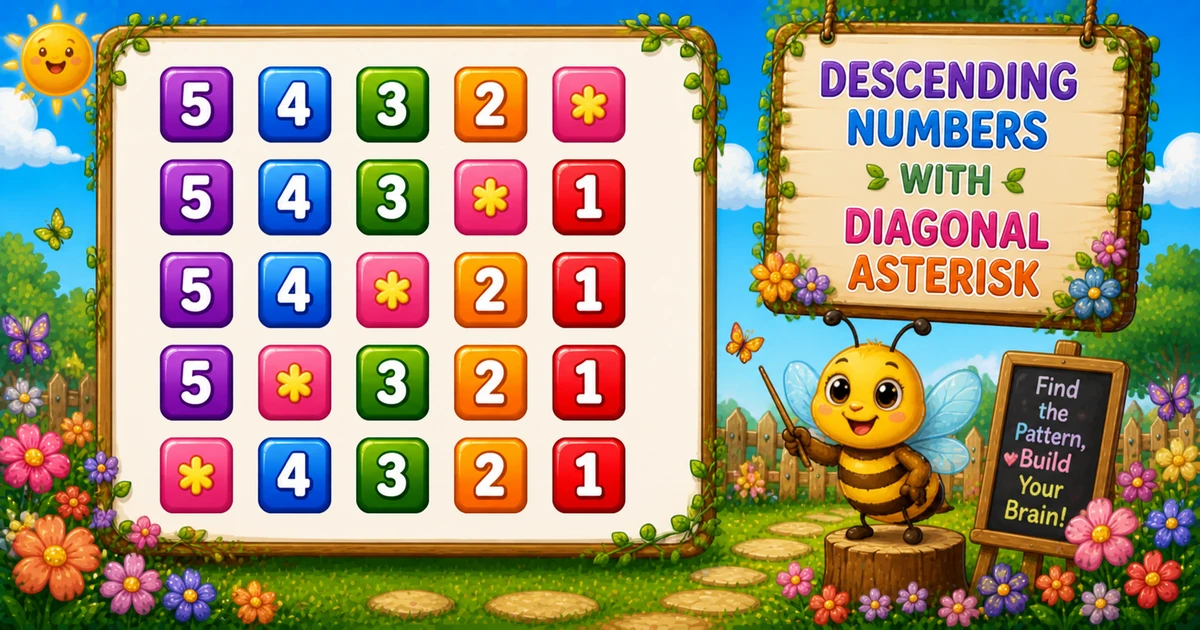
A descending number pattern with diagonal asterisk prints digits n..1 on every row, but replaces the cell where i == j with * — so the star slides one step left each line.
Remember
Rule: for i = 1..n, for j = n..1
      print * if i == j, else print j

5432*
543*1
54*21
5*321
*4321     ← n = 5
The key idea is the condition i == j inside a reverse column scan. Follows the bidirectional triangle in Program 25; next is Program 27.
Approach
How to Solve It
Start with a fixed size and *, then add scanf — optionally swap the diagonal character.
Method
Idea
Best for
Reverse scan + i == j
Print * on the diagonal; else print j
Learning, interviews, exams
Custom fill
Same loops; print # (or any char) instead of *
Variants once the core clicks
Pseudocode
Pseudocode
for i from 1 to n:
    for j from n down to 1:
        if i == j:
            print "*"
        else:
            print j
    print newline
Cheat sheet
Goal
Pattern
Walk each row
for (i = 1; i <= n; i++)
Print n..1
for (j = n; j >= 1; j--)
Diagonal star
if (i == j) printf("*");
Otherwise digit
else printf("%d", j);
End the row
printf("\n");
Swap fill
printf("#"); instead of "*"
Printing Numbers vs Starting a New Line
API
Effect
Use for
printf("%d", j) / printf("*")
Stays on the same line
Digits and the star
printf("\n")
Ends the current line
After the inner loop
Print the whole row without a newline, then end the row once.
Try it
Live Preview
Change the size and the diagonal asterisk pattern updates instantly — capped at 9 so every digit stays a single character.
Whole numbers from 1 to 9. Tap a chip or type a value — the preview redraws as you go.
Live resultn = 5 · 5 rows · 25 cells
5432*
543*1
54*21
5*321
*4321
Trace
Worked Walkthrough — n = 4
Trace each outer-loop value of i and mark where i == j places the star.
i
Inner j
Star at
Printed row
1
4..1
j = 1 (right)
432*
2
4..1
j = 2
43*1
3
4..1
j = 3
4*21
4
4..1
j = 4 (left)
*321
Every row has n characters → total n² cells. That square count is why time is O(n²).
Code
C Programs
Three complete programs: fixed size, scanf input, and a custom diagonal character. Use View Output to reveal sample results.
Example 1 — Fixed n = 5
Hard-coded size — reverse inner loop; print * when i == j.
C
#include <stdio.h>

int main(void)
{
    int i, j;

    for (i = 1; i <= 5; i++)
    {
        for (j = 5; j >= 1; j--)
        {
            if (i == j)
                printf("*");
            else
                printf("%d", j);
        }
        printf("\n");
    }

    return 0;
}
Output
5432*
543*1
54*21
5*321
*4321
How It Works
1. Outer loop picks the row.i runs from 1 to 5 — also the column value that becomes *.
2. Inner loop walks descending digits.j runs from 5 down to 1 so each row is 5 4 3 2 1 (with one substitution).
3. Substitute on the diagonal. When i == j, print *; otherwise print j.
4. Break the line.printf("\n") after the inner loop starts the next row.
When i = 1 the star is on the right (5432*); when i = 5 it is on the left (*4321).
Example 2 — User Input Version
Read n with scanf. Prefer checking its return value in real apps (shown in the tip below).
C
#include <stdio.h>

int main(void)
{
    int n;
    int i, j;

    printf("Enter size: ");
    scanf("%d", &n);

    for (i = 1; i <= n; i++)
    {
        for (j = n; j >= 1; j--)
        {
            if (i == j)
                printf("*");
            else
                printf("%d", j);
        }
        printf("\n");
    }

    return 0;
}
Output (when user enters 4)
Enter size: 4
432*
43*1
4*21
*321
How It Works
1. Prompt and read. Ask for a size, then store it with scanf("%d", &n).
2. Same i == j core. Only the source of n changes — the print logic matches Example 1.
3. Safer input tip. Unchecked scanf leaves n uninitialized on bad input. Prefer:
Safer input
if (scanf("%d", &n) != 1 || n < 1 || n > 9)
{
    printf("Enter a whole number from 1 to 9.\n");
    return 1;
}
Example 3 — Custom fill (#)
Keep the same loops; replace the diagonal * with another character.
C
#include <stdio.h>

int main(void)
{
    int n = 5;
    int i, j;

    for (i = 1; i <= n; i++)
    {
        for (j = n; j >= 1; j--)
        {
            if (i == j)
                printf("#");
            else
                printf("%d", j);
        }
        printf("\n");
    }

    return 0;
}
Output
5432#
543#1
54#21
5#321
#4321
How It Works
1. Same structure. Outer and inner bounds, and the i == j test, stay unchanged.
2. Swap the fill. Only the true branch changes — printf("#") instead of printf("*").
3. Learn stars first. Use Examples 1–2 for the classic pattern; treat fill swaps as a quick variation afterward.
Edge Cases & Pitfalls
Check these before calling the solution done.
j++
Ascending digits
If the inner loop increments instead of decrements, you get 1..n with a different diagonal. Keep for (j = n; j >= 1; j--).
print i
Wrong digit
Printing i in the else branch repeats the row index across the line. Print j so columns show descending values.
\n inside
Column of cells
If printf("\n") is inside the inner loop, each digit or star lands on its own line. Call the newline only after the inner loop.
n > 9
Multi-digit columns
printf("%d", 10) prints two characters, so columns drift. Cap demos at 9 or use a fixed width.
n = 1
Single star
Output is just * — i and j both equal 1. A good sanity check.
scanf
Check the return value
If scanf fails, n may be uninitialized — always test scanf(...) == 1.
Analysis
Time and Space Complexity
Program
Time
Extra space
Fixed / input (Examples 1–2)
O(n²)
O(1)
Custom fill (Example 3)
O(n²)
O(1)
Each of n rows prints exactly n characters → total n² cells — quadratic in n.
Remember
Key Takeaways
Rule: scan j from n down to 1; print * when i == j, else print j.
Sliding star: as i grows, the match i == j moves left across the descending digits.
Break the row: call printf("\n") only after the inner loop.
Complexity:O(n²) time from n² cells; O(1) extra space.
One line: for each i, scan j from n down to 1 — * if i == j, else j — then printf("\n").
Frequently Asked Questions
Because i increases from 1 to n while j decreases from n to 1. The condition i == j becomes true at a different position each row.
j holds the descending column digit (5, 4, 3, 2, 1). When i != j, print that digit to fill the row.
Yes. Replace printf("*") with any character — see Example 3 with #.
Digits and the star stay on the same line. printf("\n") ends the row after the inner loop finishes.
j runs from n down to 1 so each row prints digits in descending order with the star where i == j.
Replace 5 with n in both loops — see Example 2 and the live preview.
O(n²) for n rows because each row prints n characters using a nested loop.
Check scanf's return value: if (scanf("%d", &n) != 1) handle bad input. Unchecked scanf leaves n uninitialized on failure.
🤔
Did you know?
This pattern prints descending numbers from n to 1 on each row. When the row index equals the current column value (i == j), it prints * instead of the number, creating a diagonal asterisk that moves left each row.