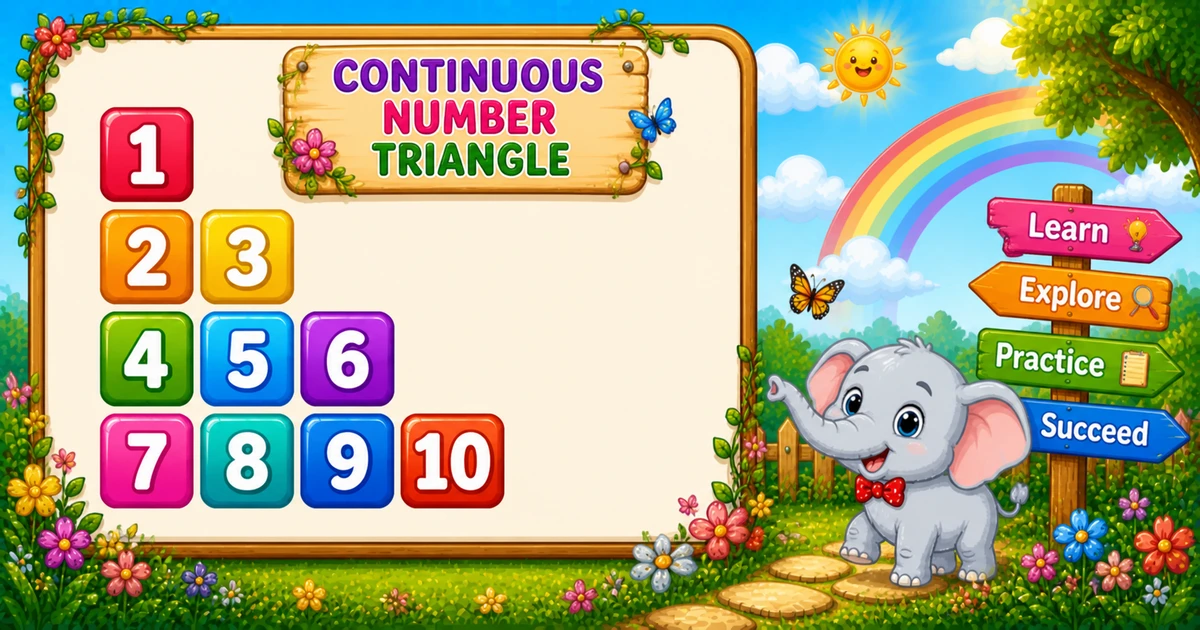
A continuous number triangle prints a growing triangle where a single counter keeps going across rows — it never resets to 1.
Remember
Rule: k = 1 once; row i prints i values of k++

1
2 3
4 5 6
7 8 9 10   ← 4 rows
In C you declare k = 1 once before the loops, print k++ in the inner loop for i numbers per row, then printf("\n") ends each row. Put k inside the outer loop by mistake and every row restarts at 1.
Approach
How to Solve It
One nested-loop idea with two useful variants — fixed start and custom start.
Method
Idea
Best for
Running counter
k = 1 once; inner loop prints k++ for i times
Learning, interviews, exams
Custom start
Same loops, but set k to any start value
Practice variants
Pseudocode
Pseudocode
k = 1
for i from 1 to rows:
    for j from 1 to i:
        print k, then k = k + 1
    print newline
Cheat sheet
Goal
Pattern
Grow the row
for (i = 1; i <= rows; i++)
Print i numbers
for (j = 1; j <= i; j++)
Continue the sequence
printf("%d ", k++);
End the row
printf("\n");
Custom start
int k = 10; before the loops
Printing Numbers vs Starting a New Line
API
Effect
Use for
printf("%d ", k++)
Stays on the same line
Each number k++ plus a space
printf("\n")
Ends the current line
After the inner loop
Print all numbers without a newline, then end the row once.
Try it
Live Preview
Change the row count and the continuous triangle updates instantly — including the total number count.
Whole numbers from 1 to 10. Tap a chip or type a value — the preview redraws as you go.
Live result4 rows · 10 numbers
1
2 3
4 5 6
7 8 9 10
Trace
Worked Walkthrough — rows = 4
Trace each outer-loop value of i, the k values printed, and how k carries forward.
i
k before row
Printed row
Count
1
1
1
1
2
2
2 3
2
3
4
4 5 6
3
4
7
7 8 9 10
4
Total numbers are 1+2+3+4 = 10 — the triangular number n(n+1)/2.
Code
C Programs
Three complete programs: fixed height, scanf input, and a custom start value. Use View Output for sample results.
Example 1 — Fixed rows = 4
Declare k once; each row prints one more continuous number.
C
#include <stdio.h>

int main(void)
{
    int rows = 4;
    int i, j, k = 1;

    for (i = 1; i <= rows; i++)
    {
        for (j = 1; j <= i; j++)
            printf("%d ", k++);

        printf("\n");
    }

    return 0;
}
Output
1
2 3
4 5 6
7 8 9 10
How It Works
1. Start the counter.k = 1 is set once before any loop, so it survives across rows.
2. Grow the row. Row i prints i numbers via printf("%d ", k++).
3. Newline.printf("\n") after the inner loop starts the next longer row.
Example 2 — User Input
Read the row count with scanf and reject non-positive values.
C
#include <stdio.h>

int main(void)
{
    int rows;
    int i, j, k = 1;

    printf("Enter the number of rows: ");
    if (scanf("%d", &rows) != 1 || rows < 1)
    {
        printf("Please enter a positive whole number.\n");
        return 1;
    }

    for (i = 1; i <= rows; i++)
    {
        for (j = 1; j <= i; j++)
            printf("%d ", k++);

        printf("\n");
    }

    return 0;
}
Output (when user enters 4)
1
2 3
4 5 6
7 8 9 10
How It Works
1. Validate rows. Check scanf; require rows >= 1.
2. Same nested loops. Four rows print the continuous sequence 1 through 10.
Example 3 — Custom Start k = 10
Same shape — only the starting value of the counter changes.
C
#include <stdio.h>

int main(void)
{
    int rows = 4;
    int i, j, k = 10;

    for (i = 1; i <= rows; i++)
    {
        for (j = 1; j <= i; j++)
            printf("%d ", k++);

        printf("\n");
    }

    return 0;
}
Output
10
11 12
13 14 15
16 17 18 19
How It Works
1. Shift the start.k = 10 before the loops; everything else matches Example 1.
2. Same carry-over. After row 1 prints 10, row 2 continues with 11 12.
Edge Cases & Pitfalls
Check these before calling the solution done.
reset k
k = 1 inside the outer loop
Every row restarts at 1. Keep k declared once before both loops.
newline early
printf("%d\n", k++) inside the inner loop
That puts each number on its own line. Use printf("%d ", k++); call printf("\n") only after the row finishes.
pre vs post
++k instead of k++
Pre-increment prints the next value first. Prefer post-increment inside printf("%d ", k++).
rows = 1
Single 1
Output is just 1 — a good sanity check.
rows ≤ 0
Empty output
The outer loop never runs. Validate and prompt again for clearer UX.
Bad input
Unchecked scanf
Always check scanf’s return value so non-numeric input does not leave rows uninitialized.
Analysis
Time and Space Complexity
Program
Time
Extra space
Nested loops (Examples 1–2)
O(n²)
O(1)
Custom start (Example 3)
O(n²)
O(1)
There are n rows printing 1+2+…+n numbers, so total work is n(n+1)/2.
Remember
Key Takeaways
Rule: set k = 1 once; row i prints i values of k++.
Carry over: declaring k outside the outer loop is what makes the sequence continuous.
printf vs newline: numbers stay on the line; printf("\n") advances after each row.
Next step: Program 21 jumps the counter by a growing amount each row.
One line: set k once, then for each row print i values of k++ with printf, then printf("\n").
Frequently Asked Questions
Because k is declared once (k = 1) before the loops and incremented with k++ every time a number is printed — its value carries over to the next row.
Row 1 prints 1, so k becomes 2. Row 2 prints k twice: 2, then 3 after k++.
k resets each row and the sequence restarts at 1 — you get a growing triangle of 1s, not a continuous counter.
printf("%d ", k++) stays on the same line. printf("\n") ends the current line. Numbers use printf with a trailing space; the row break uses printf("\n") after the inner loop.
Total prints are 1+2+…+n = n(n+1)/2.
Yes. Set k = 10 (or any value) before the loops — the sequence continues from that start (see Example 3).
O(n²) for n rows because total printf calls equal n(n+1)/2.
Check scanf's return value: if (scanf("%d", &rows) != 1) handle bad input. Unchecked scanf leaves rows uninitialized on failure.
The outer loop never runs, so nothing is printed. Validate and prompt again if you want a clear user message.
🤔
Did you know?
A single counter k starts at 1 and increments with k++ on every print — numbers continue across rows instead of restarting. Total prints still equal n(n+1)/2 for n rows.