C# Increasing Number Triangle Pattern (Right-Aligned)
Beginner
5 min read
Updated: Sep 2026
3 programs
Live preview
Definition
What Is This Pattern?
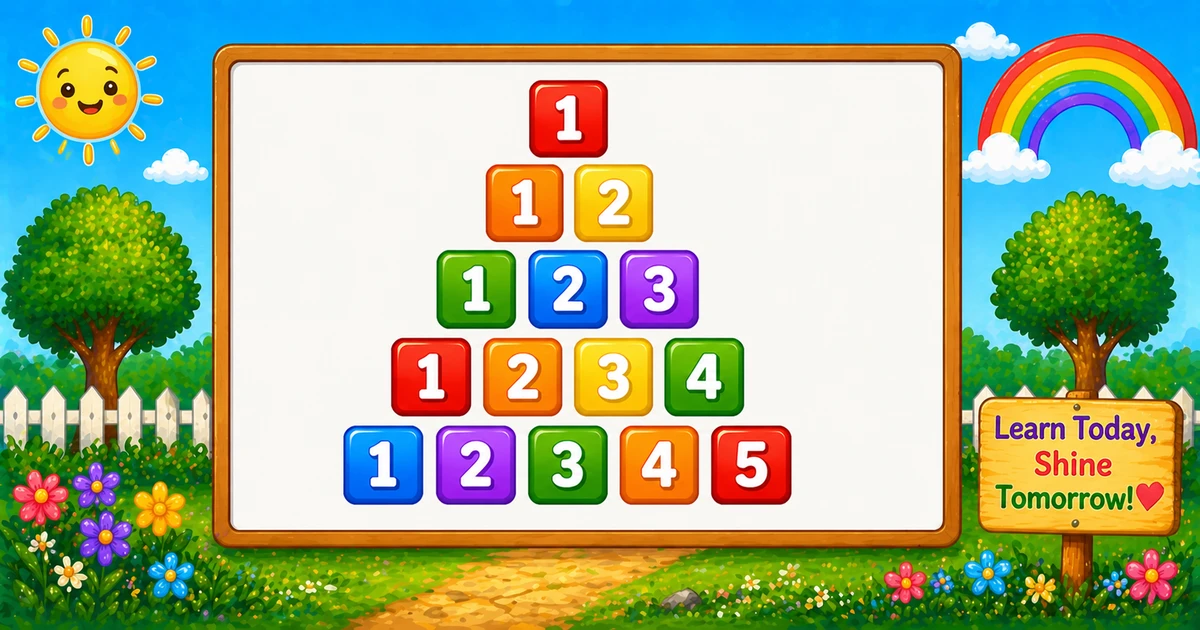
A right-aligned number triangle prints 1 to i on row i, with leading spaces so shorter rows sit against the right edge.
Remember
Rule: spaces while j > i, then print 1..i with width 2

     1
    1 2
   1 2 3
  1 2 3 4
 1 2 3 4 5   ← rows = 5
In C# print one space while j > i, then Console.Write("{0,2}", k) for k = 1..i, then WriteLine.
Approach
How to Solve It
One outer row loop, a space loop for indent, then an ascending number loop.
Method
Idea
Best for
Right-aligned
Spaces while j > i, then {0,2} for 1..i
Learning, interviews, exams
Rows input
Same logic with a user-chosen rows
Practice / demos
Pseudocode
Pseudocode
for i from 1 to rows:
    for j from rows down to i+1:
        print one space
    for k from 1 to i:
        print k (width 2)
    print newline
Cheat sheet
Goal
Pattern
Walk rows
for (i = 1; i <= rows; i++)
Leading spaces
for (j = rows; j > i; j--) Console.Write(" ");
Print 1..i
for (k = 1; k <= i; k++) Console.Write("{0,2}", k);
End the row
Console.WriteLine();
Write vs WriteLine
API
Effect
Use for
Console.Write
Stays on the same line
Each space or number
Console.WriteLine
Ends the current line
After both inner loops
Try it
Live Preview
Change the row count and the right-aligned triangle updates instantly.
Whole numbers from 1 to 9. Tap a chip or type a value — the preview redraws as you go.
Live result5 rows · 15 numbers
     1
    1 2
   1 2 3
  1 2 3 4
 1 2 3 4 5
Trace
Worked Walkthrough — rows = 4
Trace spaces and the ascending sequence on each row.
i
Spaces / numbers
Printed row
1
3 spaces / 1
1
2
2 spaces / 1 2
1 2
3
1 space / 1 2 3
1 2 3
4
none / 1 2 3 4
1 2 3 4
Space count = rows - i. Total numbers for n rows = n(n+1)/2.
Code
C# Programs
Three complete programs: fixed 5 rows, user-input rows, and a left-aligned contrast. Use View Output for sample results.
Example 1 — Fixed rows = 5
Space loop for indent, then print 1..i with width 2.
C#
using System;

namespace MyApp
{
    class Program
    {
        static void Main(string[] args)
        {
            int i, j, k;
            int rows = 5;

            for (i = 1; i <= rows; i++)
            {
                for (j = rows; j > i; j--)
                    Console.Write(" ");

                for (k = 1; k <= i; k++)
                    Console.Write("{0,2}", k);

                Console.WriteLine();
            }
        }
    }
}
Output
     1
    1 2
   1 2 3
  1 2 3 4
 1 2 3 4 5
How It Works
1. Outer loop.i runs from 1 to 5 — one row per value of i.
2. Indent. Print one space while j runs from rows down past i.
3. Numbers. Print k from 1 to i with {0,2}, then end the line.
Example 2 — User Input (rows)
Read the row count and build the same right-aligned triangle.
C#
using System;

namespace MyApp
{
    class Program
    {
        static void Main(string[] args)
        {
            int rows, i, j, k;

            Console.Write("Enter number of rows: ");
            if (!int.TryParse(Console.ReadLine(), out rows) || rows < 1)
            {
                Console.WriteLine("Please enter a positive whole number.");
                return;
            }

            for (i = 1; i <= rows; i++)
            {
                for (j = rows; j > i; j--)
                    Console.Write(" ");

                for (k = 1; k <= i; k++)
                    Console.Write("{0,2}", k);

                Console.WriteLine();
            }
        }
    }
}
2. Same triangle. Only the bound changes from the literal 5 to the user value.
Example 3 — Left-Aligned Contrast
Skip the space loop — numbers start at the left margin.
C#
using System;

namespace MyApp
{
    class Program
    {
        static void Main(string[] args)
        {
            int i, k;
            int rows = 5;

            for (i = 1; i <= rows; i++)
            {
                for (k = 1; k <= i; k++)
                    Console.Write("{0,2}", k);

                Console.WriteLine();
            }
        }
    }
}
Output
 1
 1 2
 1 2 3
 1 2 3 4
 1 2 3 4 5
How It Works
1. No indent. Without the space loop, every row starts at column zero.
2. Same numbers.{0,2} still pads each digit so columns stay even.
Edge Cases & Pitfalls
Check these before calling the solution done.
no spaces
Forget the space loop
The triangle snaps left. Keep for (j = rows; j > i; j--) for right alignment.
no format
Print k without width
Columns drift once values hit two digits. Prefer Console.Write("{0,2}", k).
WriteLine
WriteLine inside the number loop
That puts every digit on its own line. Call WriteLine only after both inner loops.
rows = 1
Single row
Output is just the formatted 1 — no leading spaces.
two spaces
Indent with " " while using {0,2}
That over-indents. One space per missing number matches the format width better.
Bad input
Convert.ToInt32 throws
Prefer int.TryParse so non-numeric input does not crash the program.
Analysis
Time and Space Complexity
Program
Time
Extra space
Fixed / left-aligned (Examples 1, 3)
O(n²)
O(1)
User input (Example 2)
O(n²)
O(1)
Total printed numbers are 1 + 2 + … + n = n(n+1)/2, so work is quadratic in the row count.
Remember
Key Takeaways
Rule: spaces while j > i, then print 1..i with {0,2}.
Align: space count = rows - i; width-2 keeps digits in columns.
Write vs WriteLine: spaces and numbers stay on the line; WriteLine advances after each row.
Next step: Program 44 prints a centered number diamond.
One line: indent with spaces, then print 1 to i with fixed width on each row.
Frequently Asked Questions
A right-aligned ascending triangle: row 1 prints 1, row 2 prints 1 2, row 3 prints 1 2 3, and so on.
Before printing numbers, the program prints spaces while j > i. Smaller rows get more spaces, pushing digits toward the right edge.
It reserves 2 columns per number (right-aligned), so columns stay stable when values become two digits.
Remove the space loop that prints leading spaces, then print numbers 1 to i directly — see Example 3.
Program 42 prints a hollow square with border conditions. Program 43 prints an ascending number triangle with indentation spaces.
Use a rows variable and loop i from 1 to rows — see Example 2.
O(n²) for n rows because total prints are 1+2+…+n = n(n+1)/2.
Prefer int.TryParse(Console.ReadLine(), out rows) so bad input does not throw FormatException.
Only one row prints — a single formatted 1 with no leading spaces.
🤔
Did you know?
Each row prints numbers 1 to i. A space loop runs while j > i before the number loop; {0,2} keeps columns aligned. Total prints = n(n+1)/2.