C# Descending Number Triangle Pattern (Left-Aligned)
Beginner
5 min read
Updated: Sep 2026
3 programs
Live preview
Definition
What Is This Pattern?
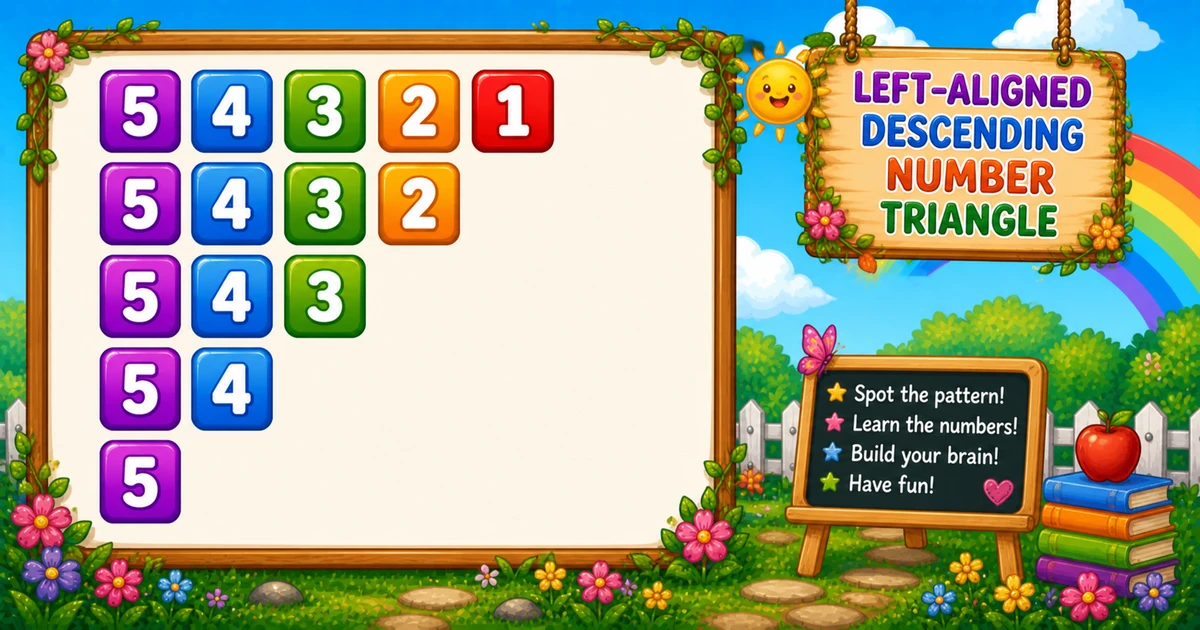
A left-aligned descending number triangle starts every row at rows and counts down to the current i, so each line gets shorter from the right.
Remember
Rule: print rows..i  (no leading spaces)

54321
5432
543
54
5   ← 5 rows
In C# the outer loop runs i from 1 to rows. The inner loop prints j from rows down to i, then WriteLine() ends the row.
Approach
How to Solve It
One nested-loop idea: ascending outer bound, descending inner digits.
Method
Idea
Best for
rows..i loops
Start each row at rows; stop at i
Learning, interviews, exams
User-input rows
Same logic with a variable height
Practice / demos
Pseudocode
Pseudocode
for i from 1 to rows:
    for j from rows down to i:
        print j
    print newline
Cheat sheet
Goal
Pattern
Raise the stop value
for (i = 1; i <= rows; i++)
Print rows..i
for (j = rows; j >= i; j--) Console.Write(j);
Spaced digits
Console.Write(j + " ");
End the row
Console.WriteLine();
Write vs WriteLine
API
Effect
Use for
Console.Write
Stays on the same line
Each digit
Console.WriteLine
Ends the current line
After the inner loop
Try it
Live Preview
Change the row count and the shrinking descending triangle updates instantly.
Whole numbers from 1 to 9 (keeps digits single-width). Tap a chip or type a value — the preview redraws as you go.
Live result5 rows · 15 digits
54321
5432
543
54
5
Trace
Worked Walkthrough — rows = 4
Trace how the stop value i shortens each row while every line still starts at 4.
i
Digits j
Printed row
1
4 3 2 1
4321
2
4 3 2
432
3
4 3
43
4
4
4
Row length is rows - i + 1. The first digit is always rows.
Code
C# Programs
Three complete programs: fixed height, user input, and a compact 3-row demo. Use View Output for sample results.
Example 1 — Fixed rows = 5
Ascending outer loop; each row prints from 5 down to the current i.
C#
using System;

namespace MyApp
{
    class Program
    {
        static void Main(string[] args)
        {
            int rows = 5;
            int i, j;

            for (i = 1; i <= rows; i++)
            {
                for (j = rows; j >= i; j--)
                    Console.Write(j);

                Console.WriteLine();
            }
        }
    }
}
Output
54321
5432
543
54
5
How It Works
1. Outer loop.i grows from 1 to 5 — the inner stop value rises, so rows get shorter.
2. Inner loop.j always starts at 5 and counts down to i — every row begins with 5.
3. Newline.WriteLine() after the digits starts the next shorter row.
Example 2 — User Input
Read the row count; the first digit of every row is still rows.
C#
using System;

namespace MyApp
{
    class Program
    {
        static void Main(string[] args)
        {
            int rows;
            int i, j;

            Console.Write("Enter rows: ");
            if (!int.TryParse(Console.ReadLine(), out rows) || rows < 1)
            {
                Console.WriteLine("Please enter a positive whole number.");
                return;
            }

            for (i = 1; i <= rows; i++)
            {
                for (j = rows; j >= i; j--)
                    Console.Write(j);

                Console.WriteLine();
            }
        }
    }
}
2. Same shape. Four rows all start at 4 and shrink to a single 4.
Example 3 — Compact rows = 3
A smaller fixed demo — same rows..i idea, easier to trace by hand.
C#
using System;

namespace MyApp
{
    class Program
    {
        static void Main(string[] args)
        {
            int rows = 3;
            int i, j;

            for (i = 1; i <= rows; i++)
            {
                for (j = rows; j >= i; j--)
                    Console.Write(j);

                Console.WriteLine();
            }
        }
    }
}
Output
321
32
3
How It Works
1. Same rules. Outer raises i; inner prints from 3 down to i.
2. Quick check. The last row is a single 3.
Edge Cases & Pitfalls
Check these before calling the solution done.
wrong twin
Use Program 3’s outer loop
for (i = rows; i >= 1; i--) with j = i..1 prints 4321, 321… Keep ascending i and inner rows..i.
full line
Loop j down to 1 every row
That reprints 54321 five times. Stop at j >= i.
ascending j
Print 1..i instead
That builds Program 1’s ascending triangle. Keep j from rows down to i.
rows = 1
Single digit
Output is just 1 — one value, one row.
rows ≤ 0
Empty output
The outer loop never runs. Validate and prompt again for clearer UX.
Bad input
Convert.ToInt32 throws
Prefer int.TryParse so non-numeric input does not crash the program.
Analysis
Time and Space Complexity
Program
Time
Extra space
Fixed / compact (Examples 1, 3)
O(n²)
O(1)
User input (Example 2)
O(n²)
O(1)
Total printed digits are n + (n-1) + … + 1 = n(n+1)/2, which is quadratic in n.
Remember
Key Takeaways
Rule: every row prints rows..i — always starts at rows.
Length: row i has rows - i + 1 digits; no leading spaces.
Write vs WriteLine: digits stay on the line; WriteLine advances after each row.
Next step: Program 5 prints an ascending number triangle.
One line: for each row i, print digits from rows down to i to build a left-aligned shrinking triangle.
Frequently Asked Questions
Because the inner loop always begins at rows (the maximum digit) and counts down. Only the stopping point i changes per row.
Row i prints rows - i + 1 digits — the inner loop runs from j = rows down to i.
Program 3 prints i..1 with a descending outer loop (4321, 321, ...). Program 4 prints rows..i with an ascending outer loop — every row starts at rows.
No — digits are left-aligned with no leading spaces. Each row begins flush left at the maximum digit.
Replace 5 with rows in the outer loop bound — see Example 2.
Use Console.Write(j + " ") instead of Console.Write(j).
O(n²) for n rows because total prints are 1 + 2 + ... + n = n(n+1)/2.
Prefer int.TryParse(Console.ReadLine(), out rows) so bad input does not throw FormatException.
Only one row prints — a single digit matching rows.
🤔
Did you know?
Each row starts at rows and counts down to i. Row i prints rows - i + 1 digits — total prints = n(n+1)/2; output is left-aligned with no leading spaces.