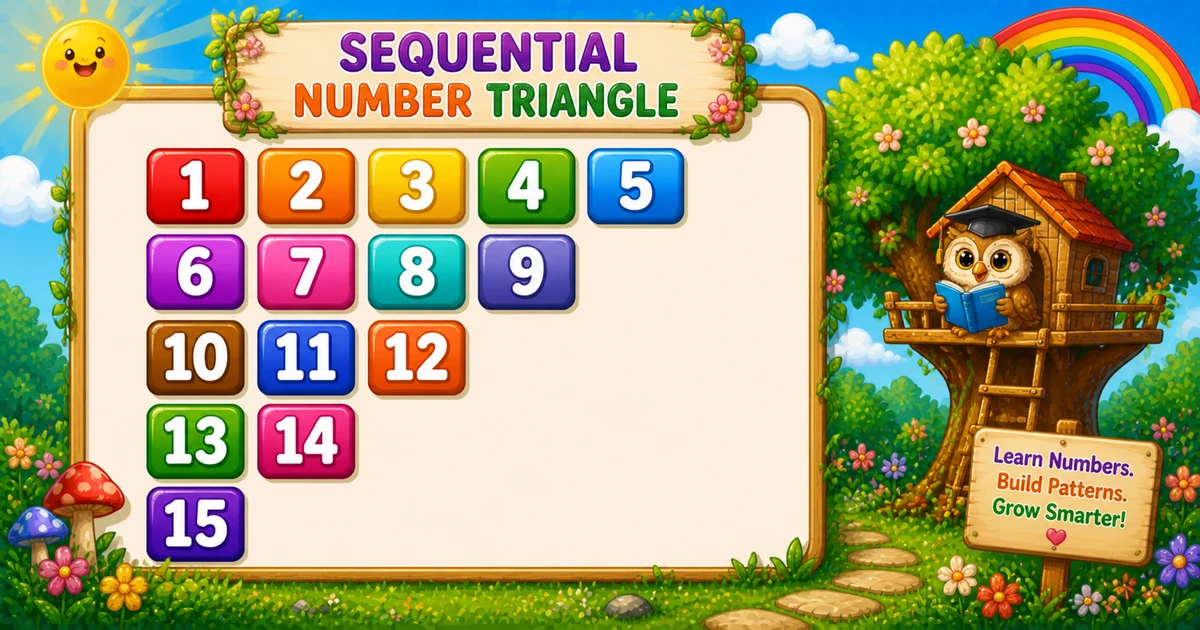
A decreasing continuous number triangle prints values from a shared counter k that never resets, while each row prints one fewer number than the row above.
Remember
Rule: row i prints (rows - i + 1) values of k++

  1  2  3  4  5
  6  7  8  9
 10 11 12
 13 14
 15   ← 5 rows
In C# the inner loop runs from rows down to i, so the first row is the longest. Use Console.Write("{0,3}", k++) to keep columns aligned past single digits.
Approach
How to Solve It
One nested-loop idea with a shared counter and format width.
Method
Idea
Best for
Counter + shrink
Print k++ while row length shrinks
Learning, interviews, exams
User-input rows
Same logic with a variable height
Practice / demos
Pseudocode
Pseudocode
k = 1
for i from 1 to rows:
    for j from rows down to i:
        print k (width 3), then k = k + 1
    print newline
Cheat sheet
Goal
Pattern
Shrink each row
for (i = 1; i <= rows; i++)
Row length
for (j = rows; j >= i; j--)
Next number
Console.Write("{0,3}", k++);
End the row
Console.WriteLine();
Write vs WriteLine
API
Effect
Use for
Console.Write
Stays on the same line
Each formatted number
Console.WriteLine
Ends the current line
After the inner loop
Try it
Live Preview
Change the row count and the shrinking continuous triangle updates instantly.
Whole numbers from 1 to 8 (width-3 columns stay readable). Tap a chip or type a value — the preview redraws as you go.
Live result5 rows · 15 values
  1  2  3  4  5
  6  7  8  9
 10 11 12
 13 14
 15
Trace
Worked Walkthrough — rows = 4
Trace how many values each row takes from counter k.
i
Count / values
Printed row
1
4 / 1..4
1 2 3 4
2
3 / 5..7
5 6 7
3
2 / 8 9
8 9
4
1 / 10
10
Row length is rows - i + 1. Counter k ends at n(n+1)/2.
Code
C# Programs
Three complete programs: fixed height, user input, and a compact 3-row demo. Use View Output for sample results.
Example 1 — Fixed rows = 5
Shrinking inner loop prints continuous k++ values with width-3 formatting.
C#
using System;

namespace MyApp
{
    class Program
    {
        static void Main(string[] args)
        {
            int rows = 5;
            int i, j, k = 1;

            for (i = 1; i <= rows; i++)
            {
                for (j = rows; j >= i; j--)
                    Console.Write("{0,3}", k++);

                Console.WriteLine();
            }
        }
    }
}
Output
  1  2  3  4  5
  6  7  8  9
 10 11 12
 13 14
 15
How It Works
1. Outer loop.i grows from 1 to 5 — each pass shortens the row by one.
2. Inner loop.j runs from rows down to i, so row 1 prints 5 values and row 5 prints 1.
3. Continuous k.k lives outside the loops and climbs from 1 to 15 without resetting.
Example 2 — User Input
Read the row count; the inner loop uses rows as the starting width.
C#
using System;

namespace MyApp
{
    class Program
    {
        static void Main(string[] args)
        {
            int rows;
            int i, j, k = 1;

            Console.Write("Enter rows: ");
            if (!int.TryParse(Console.ReadLine(), out rows) || rows < 1)
            {
                Console.WriteLine("Please enter a positive whole number.");
                return;
            }

            for (i = 1; i <= rows; i++)
            {
                for (j = rows; j >= i; j--)
                    Console.Write("{0,3}", k++);

                Console.WriteLine();
            }
        }
    }
}
2. Same counter. Three rows print values 1 through 6 with shrinking width.
Example 3 — Compact rows = 3
A smaller fixed demo — same continuous counter, easier to trace by hand.
C#
using System;

namespace MyApp
{
    class Program
    {
        static void Main(string[] args)
        {
            int rows = 3;
            int i, j, k = 1;

            for (i = 1; i <= rows; i++)
            {
                for (j = rows; j >= i; j--)
                    Console.Write("{0,3}", k++);

                Console.WriteLine();
            }
        }
    }
}
Output
  1  2  3
  4  5
  6
How It Works
1. Same rules. Inner loop length is rows - i + 1; each cell prints the next k.
2. Quick check. The last row is a single formatted 6.
Edge Cases & Pitfalls
Check these before calling the solution done.
reset k
Reset k = 1 each row
That restarts the sequence every line. Keep k outside both loops.
wrong bound
Loop j down to 1 instead of i
Every row would print the same length. Stop at j >= i.
no format
Use Write(k++) without width
Columns drift once values hit 10+. Prefer Console.Write("{0,3}", k++).
rows = 1
Single 1
Output is just the formatted 1.
rows ≤ 0
Empty output
The outer loop never runs. Validate and prompt again for clearer UX.
Bad input
Convert.ToInt32 throws
Prefer int.TryParse so non-numeric input does not crash the program.
Analysis
Time and Space Complexity
Program
Time
Extra space
Fixed / compact (Examples 1, 3)
O(n²)
O(1)
User input (Example 2)
O(n²)
O(1)
Total printed values are n + (n-1) + … + 1 = n(n+1)/2, which is quadratic in n.
Remember
Key Takeaways
Rule: print continuous k++; row i has length rows - i + 1.
Inner bound:for (j = rows; j >= i; j--) shrinks the row each time.
Write vs WriteLine: numbers stay on the line; WriteLine advances after each row.
Next step: Program 39 prints a rotating number pattern (12345, 23451, …).
One line: for each row, print the next values from a shared counter while the row length shrinks by one.
Frequently Asked Questions
Continuous numbers starting from 1, but each row has one fewer number: 5 on row 1, then 4, 3, 2, and 1 — totaling 15 numbers for 5 rows.
Counter k starts at 1 before the loops and increments with k++ each time a number prints — it is never reset inside the outer loop.
Row i prints rows - i + 1 numbers — the inner loop runs from j = rows down to i.
The format specifier reserves 3 columns per number, keeping columns aligned when values become two digits.
Program 35 is right-aligned with leading spaces. Program 38 is left-aligned with decreasing row width and the same continuous counter.
Replace 5 with rows in the outer loop bound — see Example 2.
O(n²) for n rows because total prints are 1 + 2 + ... + n = n(n+1)/2.
Prefer int.TryParse(Console.ReadLine(), out rows) so bad input does not throw FormatException.
Only one row prints — a single number 1.
🤔
Did you know?
A counter k starts at 1 and increments every time a number prints. Row i prints rows - i + 1 numbers with {0,3} — total prints = n(n+1)/2.