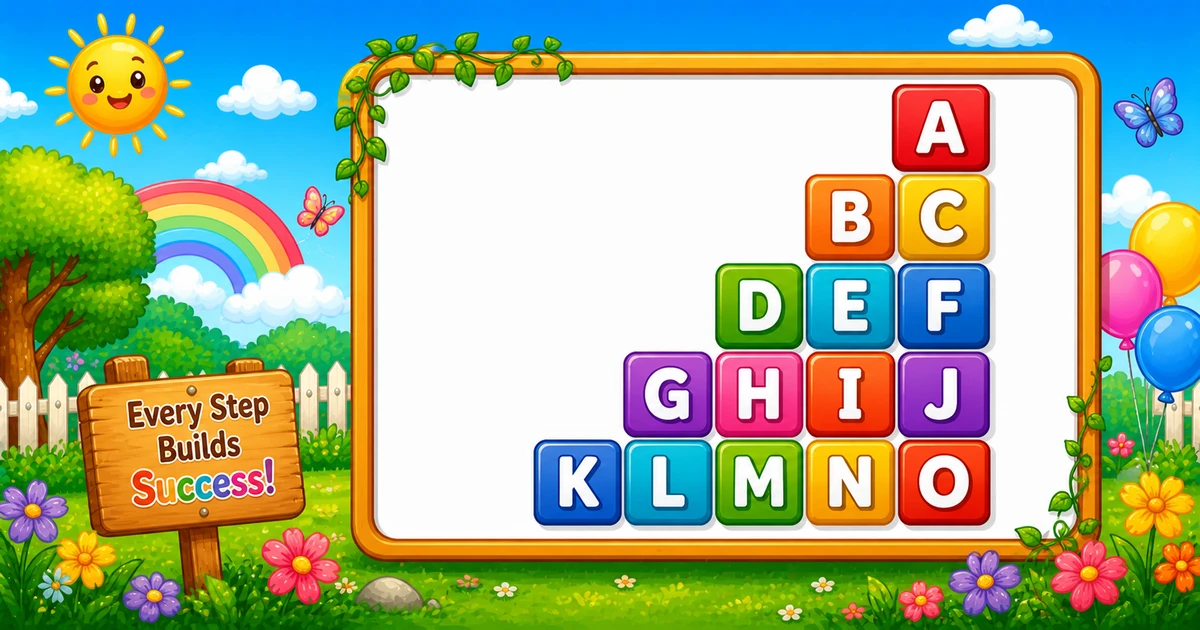
A right-aligned sequential alphabet pyramid prints a continuous letter stream (A, then B C, then D E F, …) into width-2 cells, with empty cells on the left for alignment.
Remember
Rule: pad width-2 cells, then next letters via k++ (never reset)

        A
      B C
    D E F
  G H I J
K L M N O     ← 5 rows (15 letters A–O)
Unlike Program 13 (same running counter, left-aligned), this pattern uses fixed-width cells so the pyramid sits on the right in monospace output.
Approach
How to Solve It
Scan a fixed number of width-2 slots per row: print empty cells first, then advance a shared letter counter.
Method
Idea
Best for
Fixed-width scan
Inner j from n..1; pad if j > i else k++
Learning one-loop alignment
Explicit pad
Print n - i empty cells, then i letters
Clearer reading once the shape is clear
Pseudocode
Pseudocode
k = 'A'
for i from 1 to n:
    for j from n down to 1:
        if j > i:
            print two spaces
        else:
            print k in width 2
            k = next letter
    print newline
Cheat sheet
Goal
Pattern
Row count
for (int i = 1; i <= n; i++)
Scan slots
for (int j = n; j >= 1; j--)
Empty cell
Console.Write(" "); when j > i
Letter cell
Console.Write("{0,2}", k++);
Explicit pad
for (int s = 0; s < n - i; s++) Console.Write(" ");
End the row
Console.WriteLine();
A–Z-safe height
Cap so n(n+1)/2 <= 26 (max 7 rows)
Write vs WriteLine
API
Effect
Use for
Console.Write
Stays on the same line
Each empty cell and each letter cell
Console.WriteLine
Ends the current line
After the fixed-width scan
Try it
Live Preview
Change the row count and the sequential pyramid updates instantly — including letter totals and last letter.
Whole numbers from 1 to 6. Total letters = n(n+1)/2 (stays within A–U here).
Live result5 rows · 15 letters · ends O
        A
      B C
    D E F
  G H I J
K L M N O
Trace
Worked Walkthrough — n = 4
Trace each row’s pad count, how many letters print, and where the shared counter lands.
Row i
Pads
Letters
k range
Printed row
1
3
1
A
A
2
2
2
B C
B C
3
1
3
D E F
D E F
4
0
4
G H I J
G H I J
Total letters: 1 + 2 + 3 + 4 = 10 = n(n+1)/2. Never reset k between rows or the sequence restarts at A.
Code
C# Programs
Three complete programs: fixed 5 rows, row-count input, and an explicit pad-then-letters form. Use View Output to reveal sample results.
Example 1 — Fixed 5 Rows
A single counter k increments only when a letter is printed, and {0,2} keeps columns aligned.
C#
using System;

class Program
{
    static void Main()
    {
        char k = 'A';

        for (int i = 1; i <= 5; i++)
        {
            for (int j = 5; j >= 1; j--)
            {
                if (j > i)
                    Console.Write("  ");
                else
                    Console.Write("{0,2}", k++);
            }
            Console.WriteLine();
        }
    }
}
Output
        A
      B C
    D E F
  G H I J
K L M N O
How It Works
1. Outer loop grows letter count. Row i prints i letters into a 5-slot scan.
2. Pad or letter. While j > i, print " "; otherwise print k++ with width 2.
3. Counter never resets. When i = 3, letters are D E F; the next row continues at G.
Example 2 — Row Count Input
Note: for large values, letters will go past Z. Prefer int.TryParse and a letter-budget cap in real apps.
C#
using System;

class Program
{
    static void Main()
    {
        Console.Write("Enter number of rows (like 5): ");
        int n = int.Parse(Console.ReadLine());

        char k = 'A';
        for (int i = 1; i <= n; i++)
        {
            for (int j = n; j >= 1; j--)
            {
                if (j > i)
                    Console.Write("  ");
                else
                    Console.Write("{0,2}", k++);
            }
            Console.WriteLine();
        }
    }
}
Output (when user enters 3)
Enter number of rows (like 5): 3
    A
  B C
D E F
How It Works
1. Same pad/letter rules. Only the shared width follows n instead of the literal 5.
2. Letter budget. Total letters = n(n+1)/2 — cap so it stays ≤ 26 for A–Z only.
3. Safer input tip. Prefer TryParse and a safe max:
Safer input
if (!int.TryParse(Console.ReadLine(), out int n) || n < 1 || n > 7)
{
    Console.WriteLine("Enter a row count from 1 to 7 (A–Z only).");
    return;
}
Example 3 — Pad Cells, Then Letters
Often clearer to read: print n - i empty cells, then i sequential letters.
C#
using System;

class Program
{
    static void Main()
    {
        int n = 5;
        char k = 'A';

        for (int i = 1; i <= n; i++)
        {
            for (int s = 0; s < n - i; s++)
                Console.Write("  ");

            for (int L = 0; L < i; L++)
                Console.Write("{0,2}", k++);

            Console.WriteLine();
        }
    }
}
Output
        A
      B C
    D E F
  G H I J
K L M N O
How It Works
1. Explicit pad count. Print n - i empty width-2 cells first.
2. Then letters. Print exactly i letters via k++ — same continuous sequence.
3. Same visual. Both still use width-2 cells so the pyramid matches the scan version.
Edge Cases & Pitfalls
Check these before calling the solution done.
Reset k
Wrong letters
Resetting k each row restarts at A every line. Keep one counter outside the outer loop.
One space
Misaligned columns
Padding with a single space breaks width-2 alignment. Empty cells must be " " to match {0,2}.
No pads
Left-aligned
Skipping the pad branch left-aligns the sequential rows — you lose the right-aligned pyramid.
n = 1
Single A
Output is just A (no pads) — a good sanity check.
Past Z
Clamp letter budget
More than 7 rows needs more than 26 letters. Cap n or define a wrap rule.
Bad parse
int.Parse crash
Prefer int.TryParse so empty or non-numeric input does not throw.
Analysis
Time and Space Complexity
Program
Time
Extra space
Scan / explicit pad forms
O(n²)
O(1)
Each of n rows scans n width-2 slots (or pads + letters totaling O(n)). Letters printed equal n(n+1)/2.
Remember
Key Takeaways
Running counter: one k walks the alphabet across every row — do not reset it.
Width-2 cells: pad with " " and print letters with {0,2}.
Right align: empty cells first, then the next i letters.
Complexity:O(n²) time; O(1) extra space.
One line: for each row, pad width-2 cells then print the next letters from a continuous counter.
Frequently Asked Questions
Because k is not reset inside the outer loop. Each time a letter is printed we use k++ so the sequence continues A, then B C, then D E F, and so on.
Letters are formatted with width 2 using {0,2}. Two spaces keep empty cells the same width so columns align.
Decide a rule: stop at Z, wrap back to A, or switch to a longer alphabet list. Then apply it when incrementing k.
Console.Write stays on the same line for each cell. Console.WriteLine ends the row after the fixed-width scan finishes.
Program 13 also uses a running letter counter, but prints left-aligned without fixed-width padding. This pattern right-aligns by printing empty 2-column cells first.
O(n²) for n rows when each row scans n slots in the inner loop.
Prefer int.TryParse, require n ≥ 1, and cap so n(n+1)/2 ≤ 26 if you want only A–Z letters.
Yes. Print n − i empty width-2 cells, then i letters via k++. Example 3 on this page shows that style.
🤔
Did you know?
Each slot is 2 columns wide. Padding uses " " and letters use {0,2} so columns line up in monospace output. The counter k never resets, so letters run continuously from A to O for 5 rows.