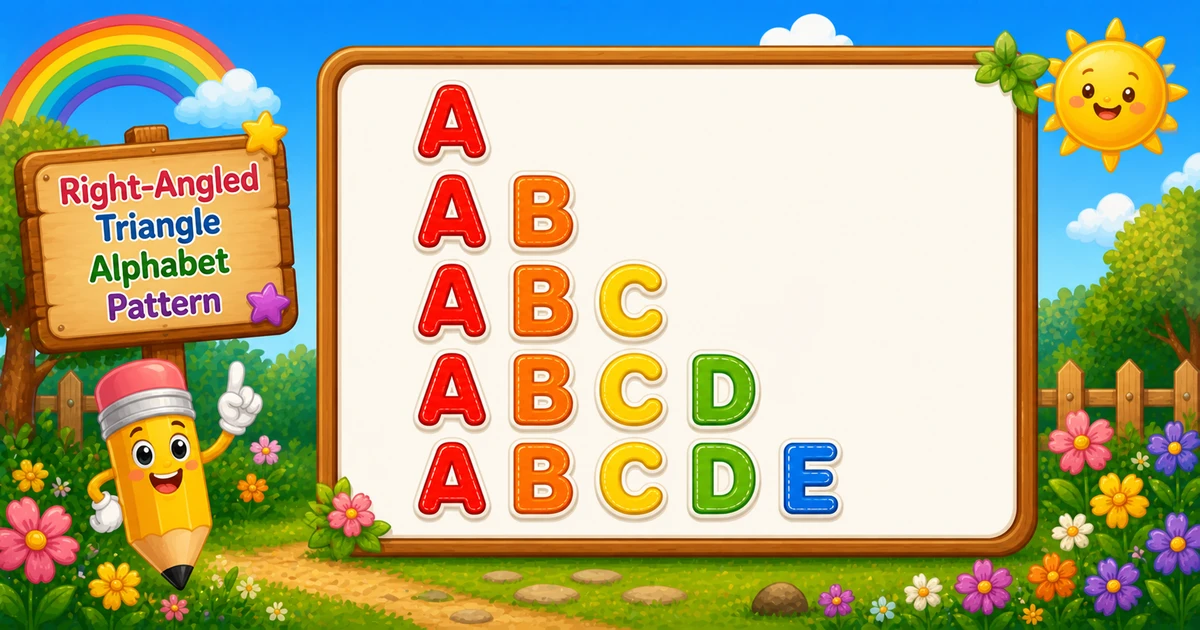
An alphabet right-angled triangle prints a left-aligned staircase of letters: row i runs from A through the i-th letter (A, AB, ABC, …).
Remember
Rule: on row i, print A through the i-th letter

A
AB
ABC
ABCD
ABCDE     ← 5 rows
In C# you solve it with two nested for loops over char: the outer loop picks the end letter, the inner loop restarts at A and prints through that end letter, then Console.WriteLine() moves to the next line. Once this clicks, inverted letter triangles and other alphabet shapes become much easier.
Approach
How to Solve It
Two ways to emit the same shape — start with nested char loops, then optionally shorten with Substring.
Method
Idea
Best for
Nested char loops
Outer = end letter, inner = A..end via Console.Write
Learning, interviews, exams
letters.Substring(0, i)
Slice A–Z for each row length
Shorter demos once loops click
Pseudocode
Pseudocode
for end from 'A' to lastLetter:   // lastLetter depends on rows
    for ch from 'A' to end:
        print ch (no newline)
    print newline
Change the row count and the alphabet triangle updates instantly — capped at 26 letters (A–Z).
Whole numbers from 1 to 26. Tap a chip or type a value — the preview redraws as you go.
Live result5 rows · 15 letters
A
AB
ABC
ABCD
ABCDE
Trace
Worked Walkthrough — rows = 4
Trace each outer-loop end letter and count how many times the inner loop prints.
End i
Inner j
Printed row
Letters
'A'
A..A
A
1
'B'
A..B
AB
2
'C'
A..C
ABC
3
'D'
A..D
ABCD
4
Total letter prints: 1 + 2 + 3 + 4 = 10 = 4×5/2. That triangular sum is why time is O(n²).
Code
C# Programs
Three complete programs: fixed end letter, console input, and a Substring shortcut. Use View Output to reveal sample results.
Example 1 — Fixed through 'E'
Hard-coded end letter — ideal for first demos and screenshots (5 rows).
C#
using System;

class Program
{
    static void Main()
    {
        for (char i = 'A'; i <= 'E'; i++)
        {
            for (char j = 'A'; j <= i; j++)
            {
                Console.Write(j);
            }
            Console.WriteLine();
        }
    }
}
Output
A
AB
ABC
ABCD
ABCDE
How It Works
1. Outer loop picks the end letter.i runs from 'A' to 'E' — one row per end letter.
2. Inner loop restarts at A. For each i, j runs from 'A' to i, so the row is A..i.
3. Print letters, then break the line.Console.Write(j) stays on the row; WriteLine() after the inner loop starts the next row.
When i = 'A' you get A; when i = 'B' you get AB; up through ABCDE.
Example 2 — User Input Version
Read the row count at runtime. Prefer int.TryParse and clamp to 26 (shown in the tip below).
C#
using System;

class Program
{
    static void Main()
    {
        Console.Write("Enter the number of rows: ");
        int rows = Convert.ToInt32(Console.ReadLine());
        char last = (char)('A' + rows - 1);

        for (char i = 'A'; i <= last; i++)
        {
            for (char j = 'A'; j <= i; j++)
            {
                Console.Write(j);
            }
            Console.WriteLine();
        }
    }
}
Output (when user enters 4)
Enter the number of rows: 4
A
AB
ABC
ABCD
How It Works
1. Prompt and read. Ask for a row count, then convert the line to an int.
2. Map rows to an end letter.last = (char)('A' + rows - 1) — for rows = 4, last is 'D'.
3. Same nested-loop core. Only the source of last changes — the print logic matches Example 1.
4. Safer input tip.Convert.ToInt32 throws on letters. Prefer:
Safer input
if (!int.TryParse(Console.ReadLine(), out int rows) || rows < 1 || rows > 26)
{
    Console.WriteLine("Enter a whole number from 1 to 26.");
    return;
}
Example 3 — Substring(0, i)
Build each row in one call — same shape, no explicit inner letter loop.
C#
using System;

class Program
{
    static void Main()
    {
        int rows = 5;
        string letters = "ABCDEFGHIJKLMNOPQRSTUVWXYZ";

        for (int i = 1; i <= rows; i++)
        {
            Console.WriteLine(letters.Substring(0, i));
        }
    }
}
Output
A
AB
ABC
ABCD
ABCDE
How It Works
1. One outer loop. Walk i from 1 to rows.
2. Slice the alphabet.letters.Substring(0, i) returns the first i characters (A, AB, …).
3. Print and advance.WriteLine prints that slice and ends the line.
Learn the two-loop version first (Examples 1–2) so you can explain both bounds in an interview; treat this as a polish shortcut afterward.
Edge Cases & Pitfalls
Check these before calling the solution done.
WriteLine inside
Column of letters
If WriteLine is inside the inner loop, each letter lands on its own line. Use Write for letters; WriteLine only after the inner loop.
No reset to A
Wrong sequence
Inner loop must restart at 'A' every row. Carrying one char across rows prints a different pattern.
rows > 26
Past Z
Char arithmetic can leave A–Z. Clamp to 26 for standard demos, or define wrap/error behavior.
rows = 1
Single letter
Output is just A on one line — a good sanity check.
rows ≤ 0
Empty output
Outer loop never runs. Validate and re-prompt for interactive programs.
Bad input
Use TryParse
Convert.ToInt32 throws on letters — prefer int.TryParse and a 1–26 range check.
Analysis
Time and Space Complexity
Program
Time
Extra space
Nested loops (Examples 1–2)
O(rows²)
O(1)
Substring(0, i) (Example 3)
O(rows²)
O(rows) per temporary row string
Total letters printed = 1 + 2 + … + n = n(n+1)/2, which is still quadratic in n.
Remember
Key Takeaways
Rule: row with end letter i prints A through i.
Two loops: outer = end letter, inner = A..end with Console.Write.
Break the row: call WriteLine only after the inner loop.
Complexity:O(n²) time from the triangular letter count; O(1) extra space for nested loops.
One line: for each end letter i, print A..i with Write, then WriteLine.
Frequently Asked Questions
The outer loop picks the last letter on each row. The inner loop always restarts at A and prints up through that last letter, so row 1 is A, row 2 is AB, row 3 is ABC, and so on.
Each row is a fresh sequence from A to the current end letter. If you kept advancing a single char across rows, you would get a different pattern (not this right-angled alphabet triangle).
Console.Write stays on the same line. Console.WriteLine ends the current line. Letters use Write; the row break uses WriteLine after the inner loop.
Shrink the end letter each row — for example walk the outer loop from the last letter down toward A, or use a decreasing length with Substring. See Alphabet Pattern Program 2.
O(n²) where n is the number of rows. Total Console.Write calls equal 1+2+…+n = n(n+1)/2.
Yes. Keep a string of A–Z and print letters.Substring(0, i) for row length i. Nested char loops are better for learning; Substring is a handy shortcut later.
Prefer int.TryParse(Console.ReadLine(), out rows) and clamp rows between 1 and 26 so bad input does not throw FormatException or walk past Z.
Char math can produce characters beyond Z. Clamp to 26 for A–Z demos, or define a clear wrap/error policy.
🤔
Did you know?
Row i prints letters from A through the i-th letter (A, AB, ABC, …). Total letters for n rows is the triangular number n(n+1)/2 — the same count that makes this pattern O(n²).