Target groups & Application Load Balancer
What you’ll learn
A target group tells an Application Load Balancer which registered backends should receive forwarded traffic, on which target port, and how to health check them. Listeners (for example HTTP on port 80 or HTTPS on port 443) live on the load balancer; listener rules choose which target group handles each client request.
This page corrects a common mix-up: target groups are not “listening” on 80 or 443 themselves—the ALB front end is. Two groups might back blue/green releases, or different paths, while both still talk to your instances on whatever port your service uses (often 80 or 8080).
How the pieces fit (bottom to top)
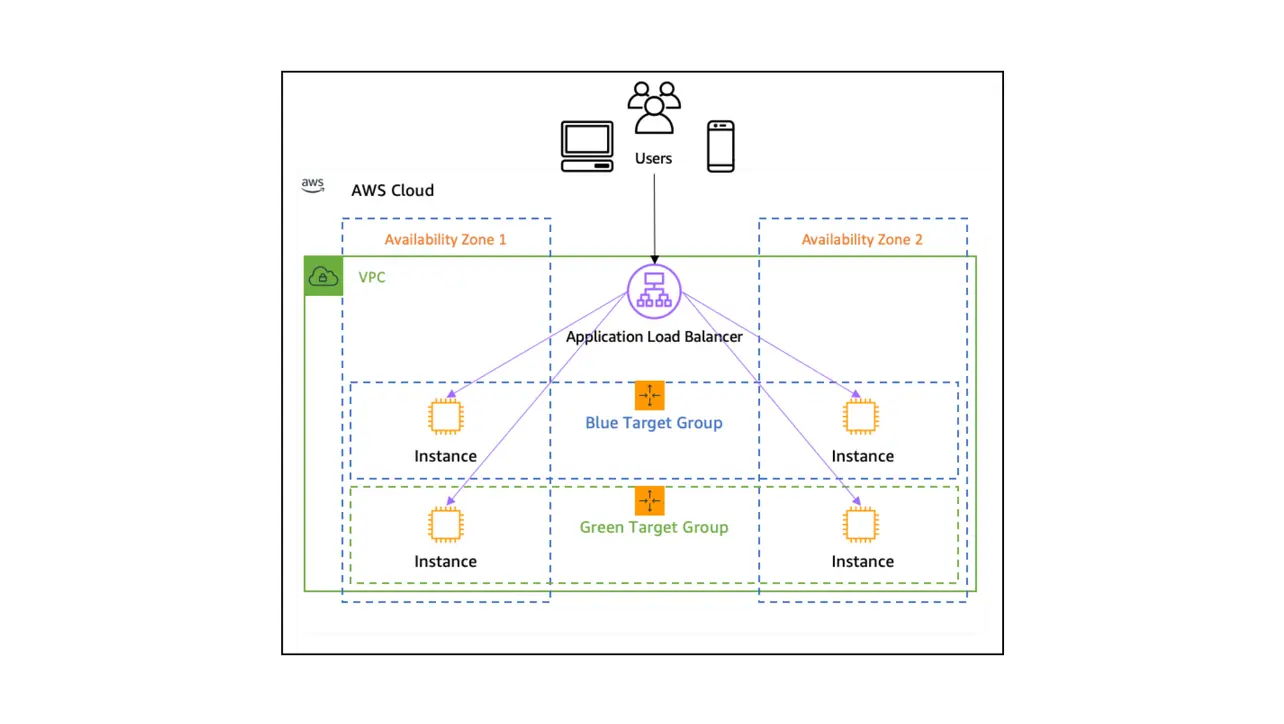
Use the diagram at the top of this page: read from instances up toward clients.
- Your service runs on multiple EC2 instances (or other supported target types).
- You can define two or more target groups when you need separate pools—for example blue and green capacity during a deployment, or different services behind the same ALB.
- The Application Load Balancer exposes listeners such as HTTP on port 80 and HTTPS on port 443. Each listener has rules (default and optional conditions) that forward or redirect traffic to a target group.
- When a client sends HTTP, a rule on the
:80listener can forward to one target group; when a client uses HTTPS, a rule on the:443listener can forward to the same group or a different one, depending on how you configure routing. - Targets receive load balancer traffic on the target group’s protocol and port (for example HTTP to instance port 80)—that is separate from the listener port clients use.
Create a target group in the console
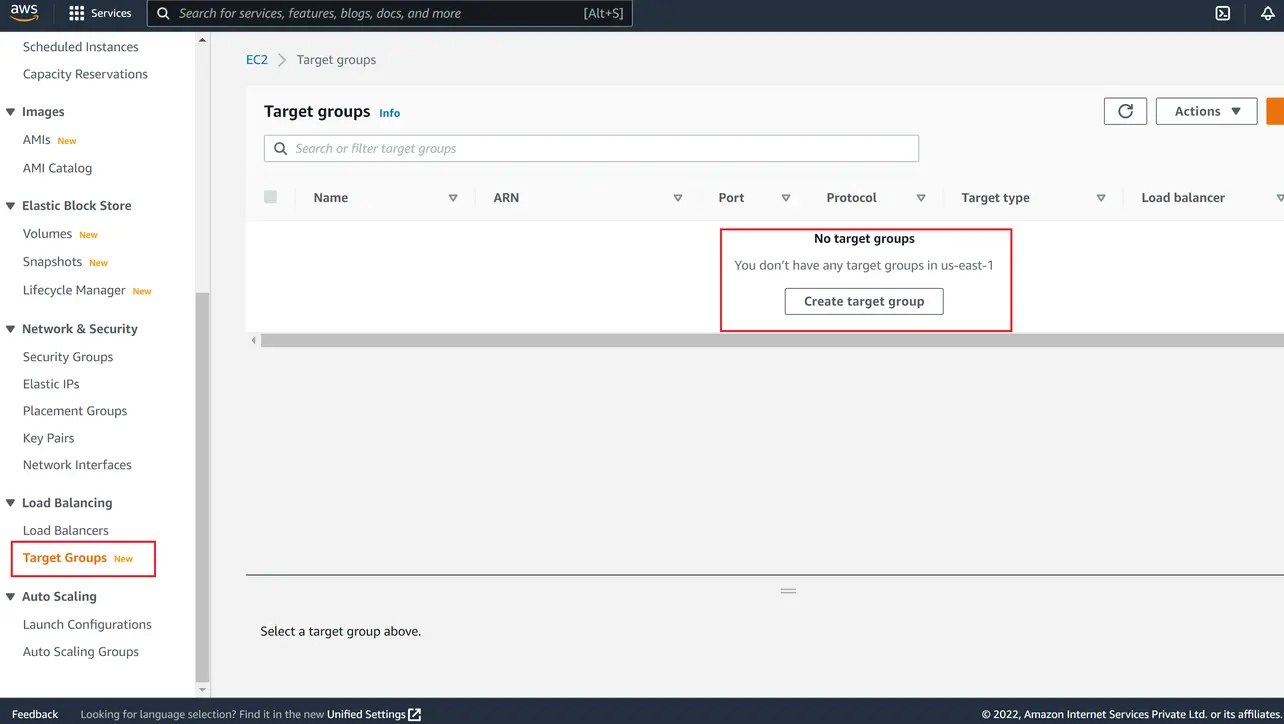
Open the EC2 console, choose Target Groups under Load Balancing, then choose Create target group.
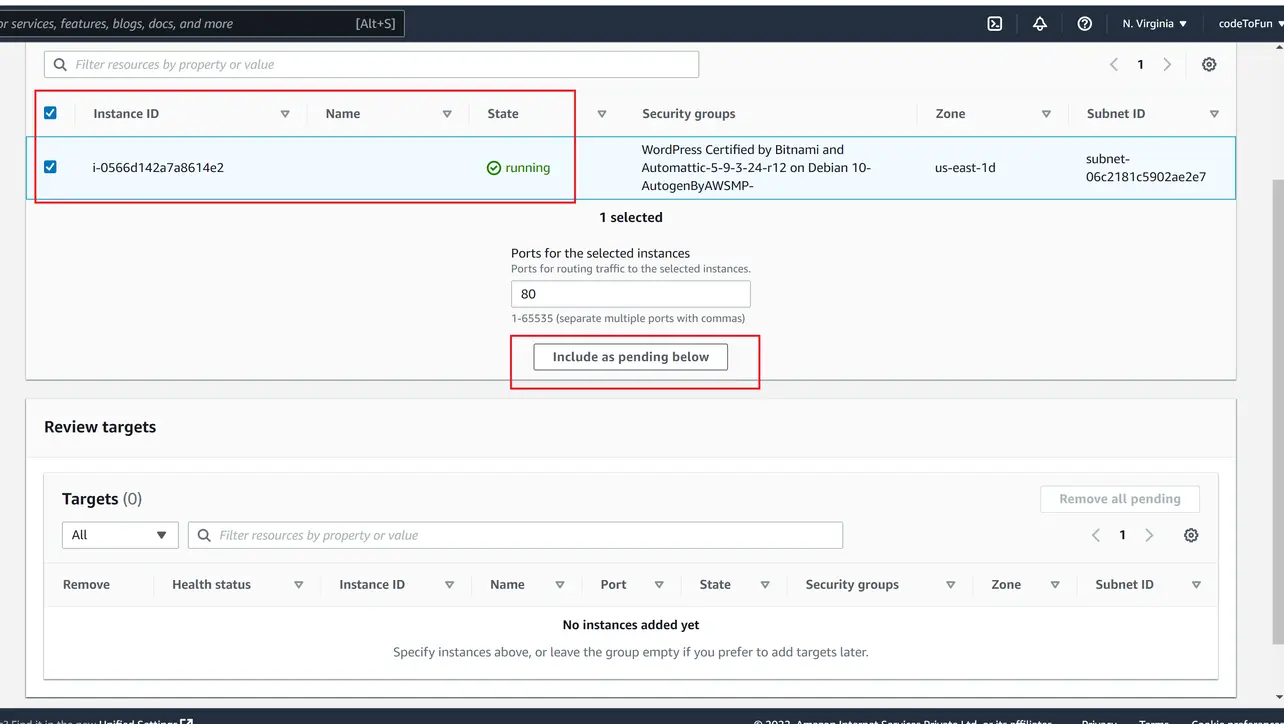
Amazon EC2 Finish the wizard (protocol, VPC, health check) and register EC2 instances. For instances that are not yet fully registered, use Include as pending below when the console offers it so they appear under pending registration until health checks succeed.
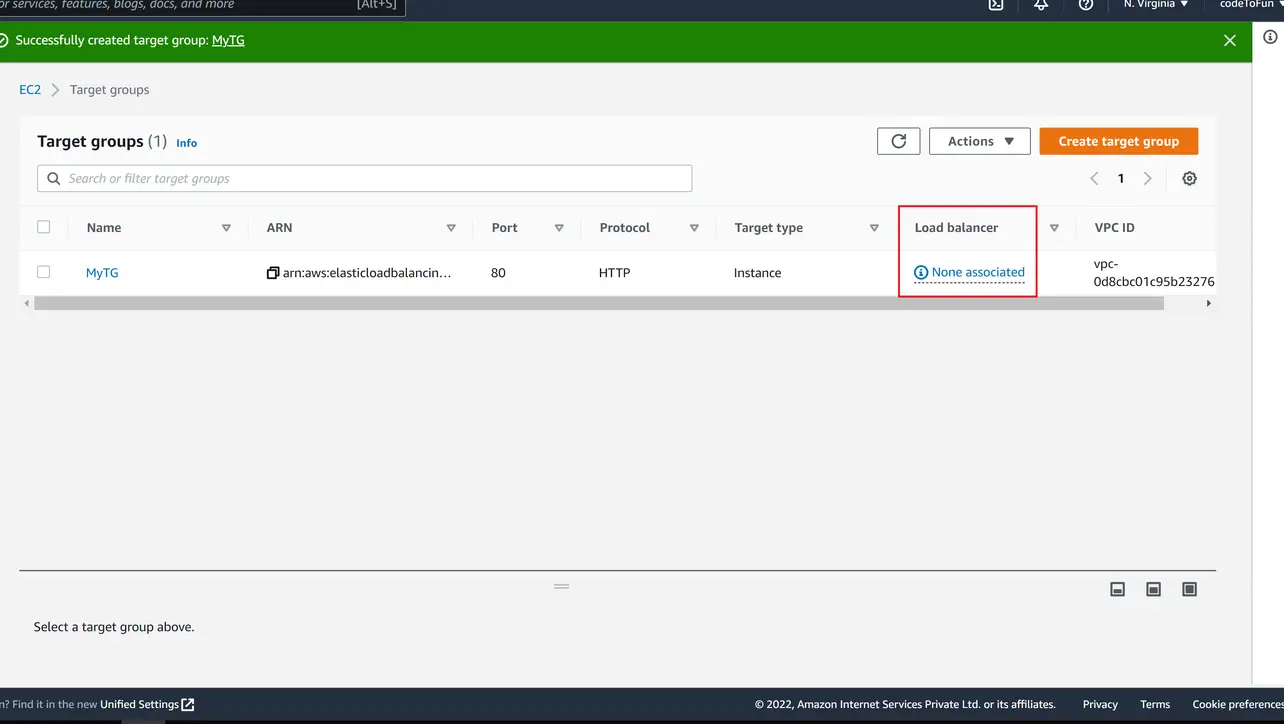
Amazon EC2 After creation, the group exists independently until a listener rule references it. The summary shows associated load balancers when you wire it up.
Amazon EC2 To create the load balancer, attach listeners, and point the default action at this target group, follow Create an Application Load Balancer (step by step). You can create the target group first (as on this page) or during the ALB wizard—both are valid.
Key takeaways
Listeners accept client traffic; target groups define backends, target ports, and health checks.
Multiple target groups enable blue/green, path routing, or splitting services without extra DNS names.
Finish the ALB walkthrough, then publish the load balancer hostname in Route 53 when you are ready for production DNS.
Frequently asked questions
Next: DNS for your ALB
When targets are healthy and the ALB responds on its DNS name, use Route 53 to point your hostname at the load balancer with alias records.
A target group’s health check path and thresholds decide when the load balancer stops sending traffic to an unhealthy target. Keep checks cheap (for example GET /health) and aligned with what your app actually needs to serve traffic.
About the author


8 people found this page helpful