Path-Based Routing on ALB

Beginner
10 min read
Updated: Nov 2026
4 steps
Layer 7 ALB

What Is Path-Based Routing?

On an Application Load Balancer, path-based routing sends different URL paths to different target groups.

Example:

  • /api/* → API servers
  • /* → website servers
Beginner tip.

One DNS name, one ALB, multiple backends. A Network Load Balancer cannot do this.

In Simple Words

What problem does it solve?

Microservices often share www.example.com but live on different instances. Path rules keep one certificate and one hostname while splitting traffic.

Path vs host

Path = after the domain (/api). Host = the domain name itself (api.example.com). Related redirects: www to non-www.

Official docs.

Listener rules for Application Load Balancers.

Words You Will See

WordPlain meaning
ListenerALB port/protocol that receives client traffic (80/443)
RuleConditions (path/host/…) + action (forward/redirect)
PriorityOrder rules are checked; lower number wins first
Path patternMatch like /api/* or /images/*
Default actionCatch-all when no other rule matches
Target groupBackends that receive the forwarded requests

What You Need First

Step-by-Step

Step 1 — Prepare Two Target Groups

  1. Create (or reuse) group A for the website targets.
  2. Create group B for the API targets.
  3. Confirm both groups show healthy targets.
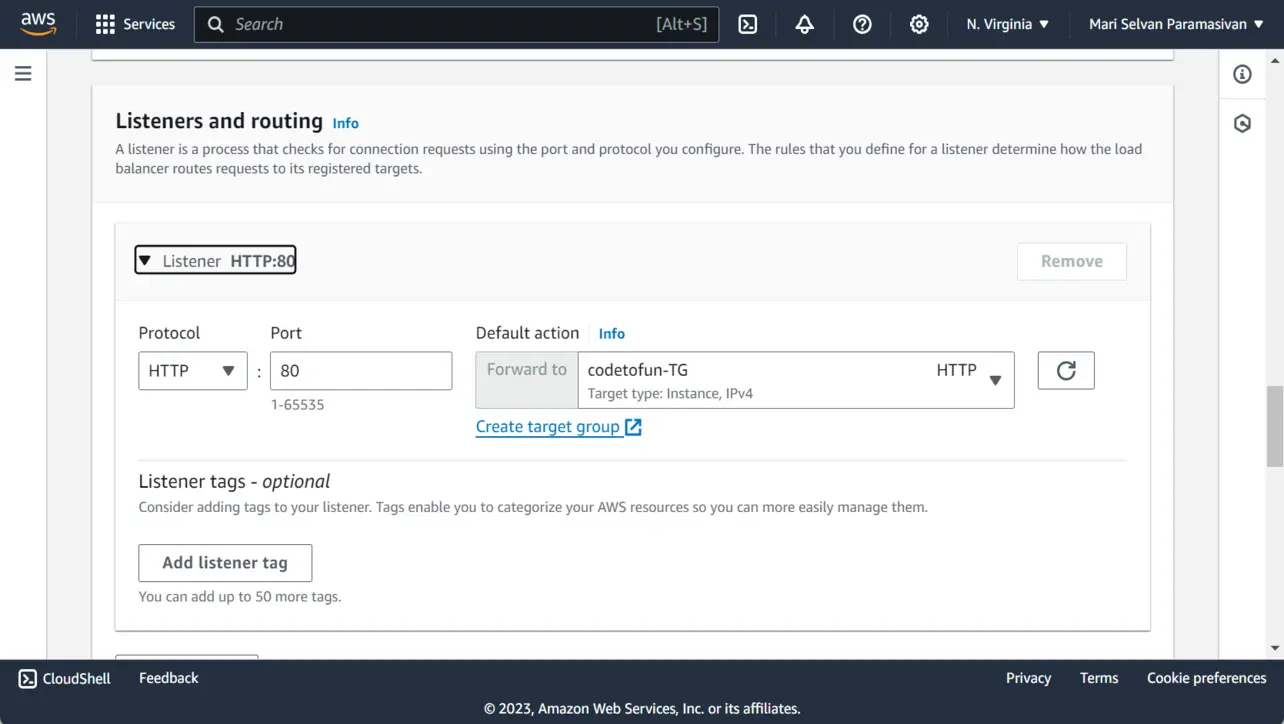
Step 2 — Add a Listener Rule for /api/*

  1. Open the ALB → Listeners → view rules for port 80 or 443.
  2. Choose Add rule.
  3. Condition: Path is /api or /api/* (match your app).
  4. Action: Forward to the API target group.
  5. Set a priority number lower (earlier) than the catch-all.
ALB listeners and routing configuration
Elastic Load Balancing

Step 3 — Default Action for Everything Else

  1. Keep the listener default action forwarding to the website target group.
  2. Or add an explicit /* rule with a higher priority number than /api/*.

How It Works

  1. Specific paths first, broad paths last.
  2. Only one rule “wins” per request.

Step 4 — Test Both Paths

  1. Open http://ALB-DNS/ — should hit the website group.
  2. Open http://ALB-DNS/api/... — should hit the API group.
  3. If both look the same, check priorities, path spelling, and target health.

Common Beginner Mistakes

Catch-all before /api

A high-priority /* steals API traffic. Put /api/* first.

Unhealthy API targets

Rules forward only to healthy targets—fix health checks.

Expecting NLB path rules

Use ALB (Layer 7) for HTTP path matching.

Forgetting trailing wildcards

/api and /api/* match differently—match what your clients request.

Key Takeaways

One line: two target groups, a specific /api/* rule, then a default forward for the rest.

Frequently Asked Questions

Path-based routing uses Application Load Balancer listener rules to forward requests to different target groups based on the URL path, such as /api/* versus /*.
No. A single default forward rule is enough for one app. Add path rules when two services share one hostname.
Host-based rules match the Host header (api.example.com vs www.example.com). Path-based rules match the path after the domain. You can combine both.
No. NLB works at Layer 4 and does not read HTTP paths. Use an ALB for path-based routing.
ALB evaluates listener rules in priority order (lower number first). Put more specific paths (like /api/*) ahead of a catch-all /* rule.
Yes for two different backends. Create one target group per service, register its targets, then point each path rule at the matching group.

Next: Target groups and ALB

Register instances and wire groups before adding more listener rules.

Target groups & ALB →

About the author

Mari Selvan M P
Mari Selvan M P 🔗

Developer, cloud engineer, and technical writer

  • Experience 12 years building web and cloud systems
  • Focus Full Stack Development, AWS, and Developer Education

I write practical tutorials so students and working developers can learn by doing—from databases and APIs to deployment on AWS.

9 people found this page helpful
