AWS Certificate Manager — SSL/TLS for your ALB

What you’ll learn
AWS Certificate Manager (ACM) lets you provision, manage, and deploy SSL/TLS certificates for applications on AWS. This walkthrough covers requesting a public certificate, validating it with DNS in Route 53, and attaching it to an Application Load Balancer (ALB) HTTPS listener.
ACM removes much of the manual work of buying and renewing certificates. Here we terminate HTTPS at the load balancer so traffic between clients and the ALB is encrypted.
Prerequisites
Before you begin, make sure you have the following:
- An AWS account with access to ACM, Route 53 (for DNS validation), and Elastic Load Balancing.
- An Application Load Balancer running in front of your application.
Request a certificate in ACM
Follow these steps to request an HTTPS certificate for your domain.
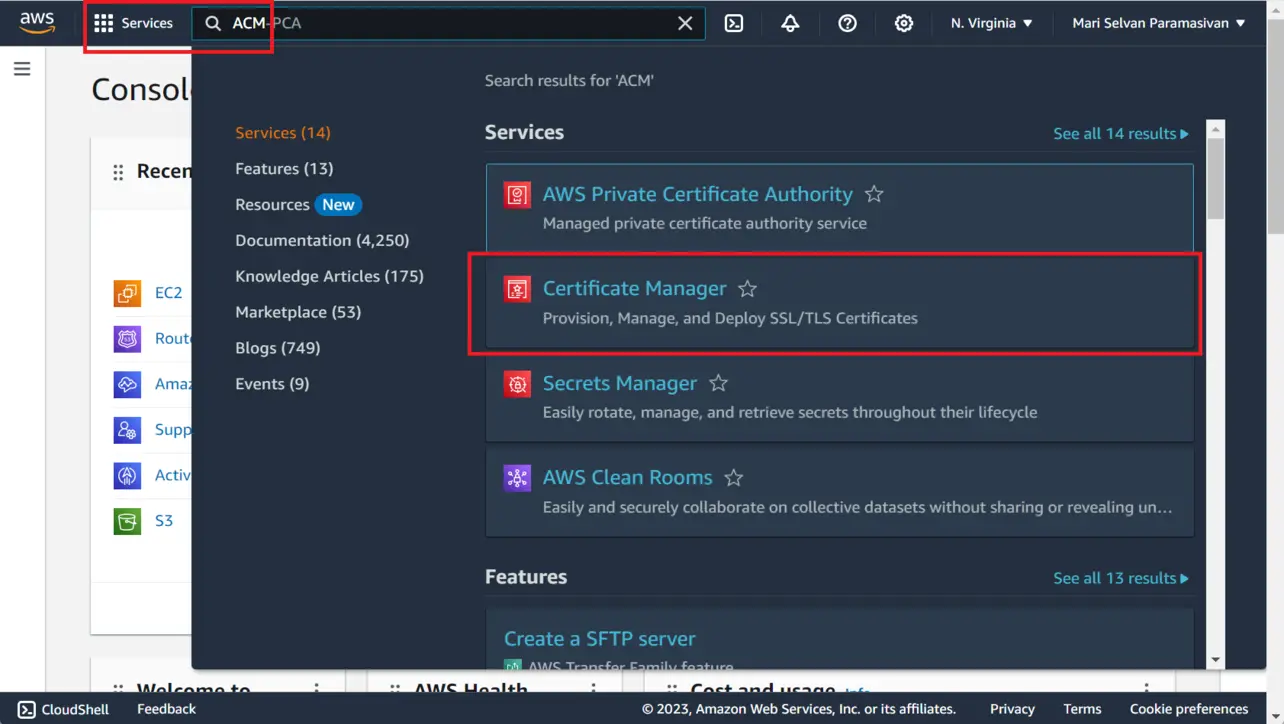
- Open the AWS Management Console.
Go to the Certificate Manager service.
AWS Management Console Choose Request a certificate.
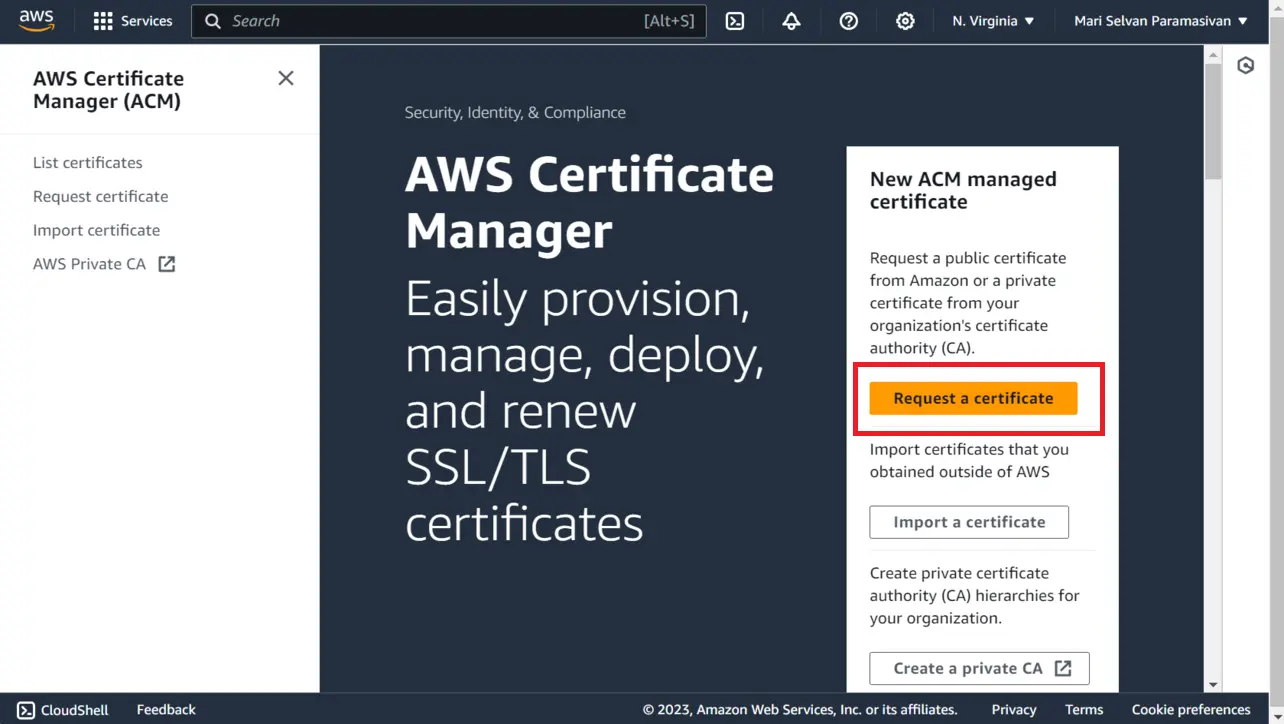
AWS Management Console Choose Request a public certificate.
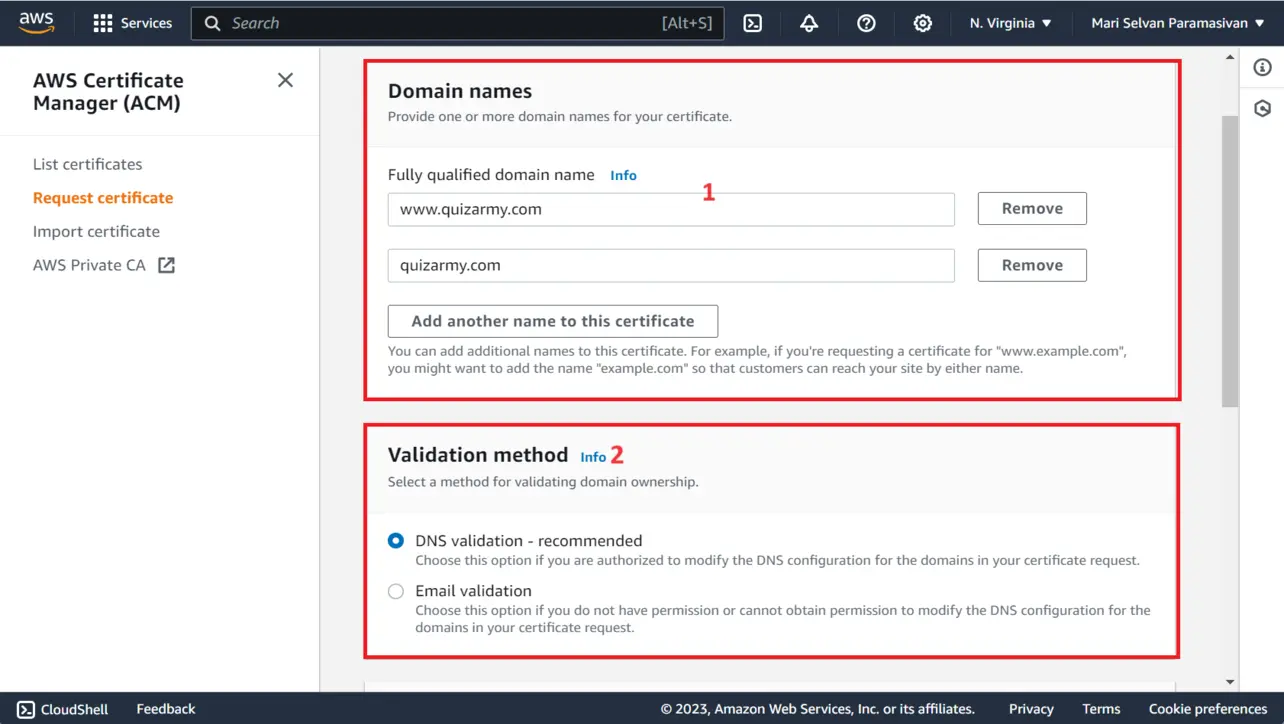
Enter your fully qualified domain names and pick a validation method (DNS validation is recommended for automation).
AWS Management Console Choose a key algorithm (for example,
RSA 2048), then choose Request.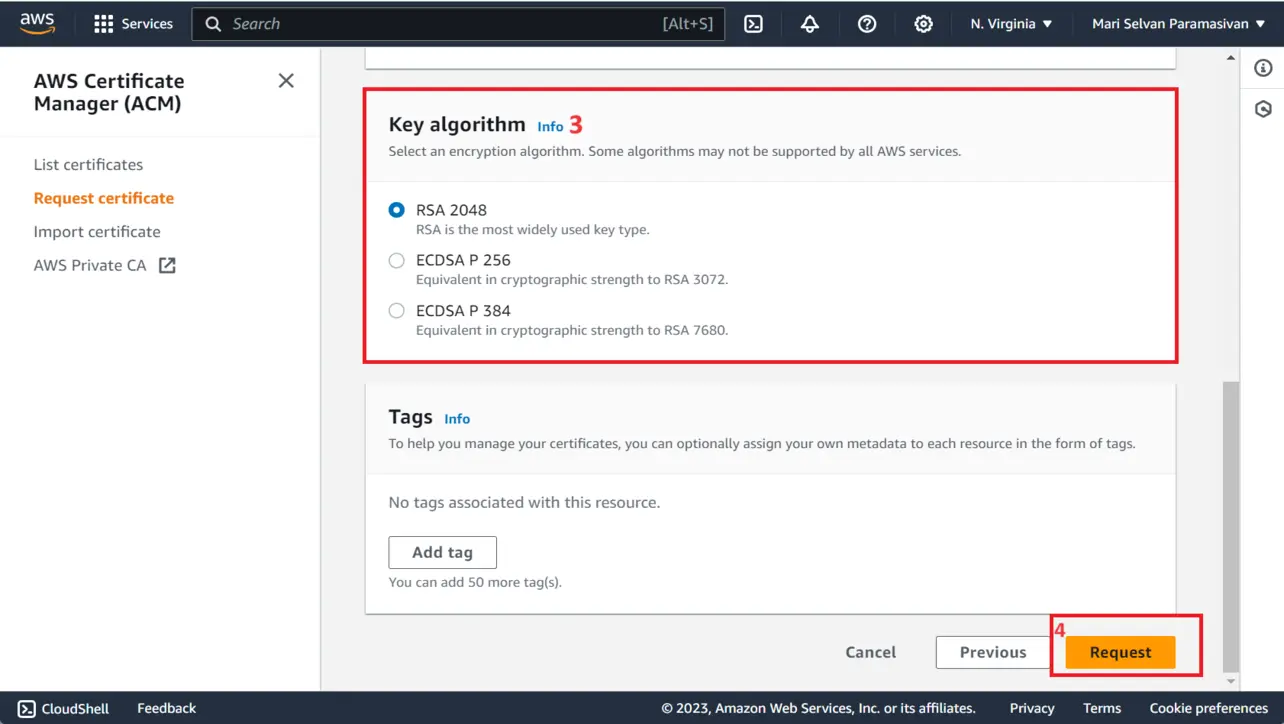
AWS Management Console In the Certificates list, open the certificate you just requested.
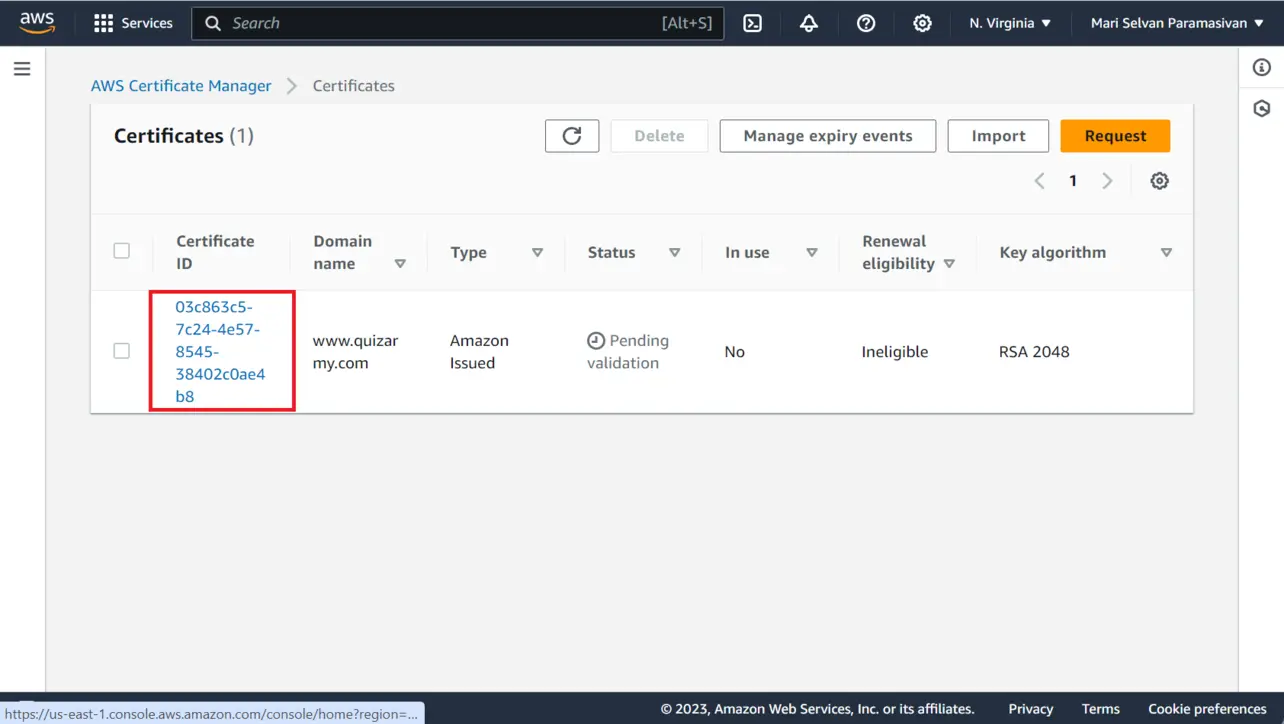
AWS Management Console Open your Route 53 hosted zone for the domain, select the zone, then choose Create record (or use the ACM console shortcuts to create records when offered).
To validate a subdomain such as
www.example.com, copy the CNAME name and CNAME value from ACM and create a matching CNAME in Route 53.Caution: When you enter the CNAME name in Route 53, use only the label ACM shows you; do not append your apex domain twice if the console already shows a fully qualified name.
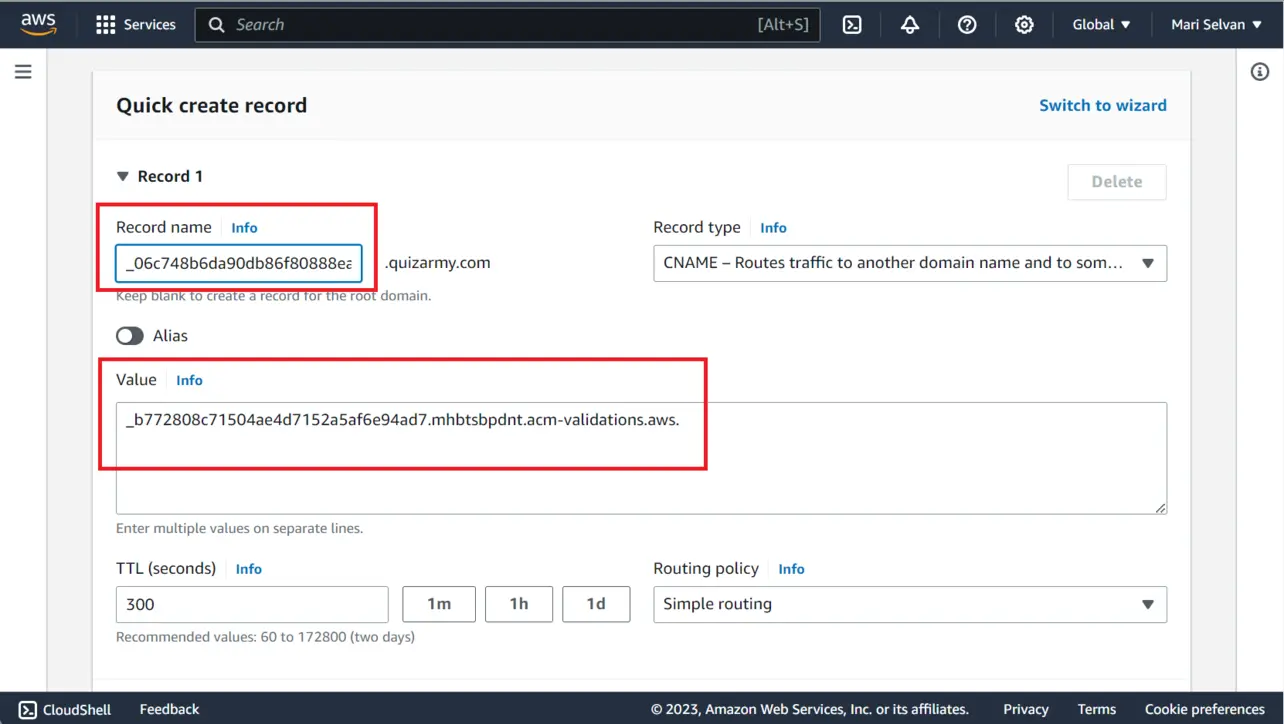
Route 53 and ACM To validate the apex domain (for example
example.com), add the second CNAME record ACM provides for the apex, again matching name and value exactly.Caution: Same as above—avoid duplicating the domain suffix in the record name if Route 53 already treats the value as relative to the zone.
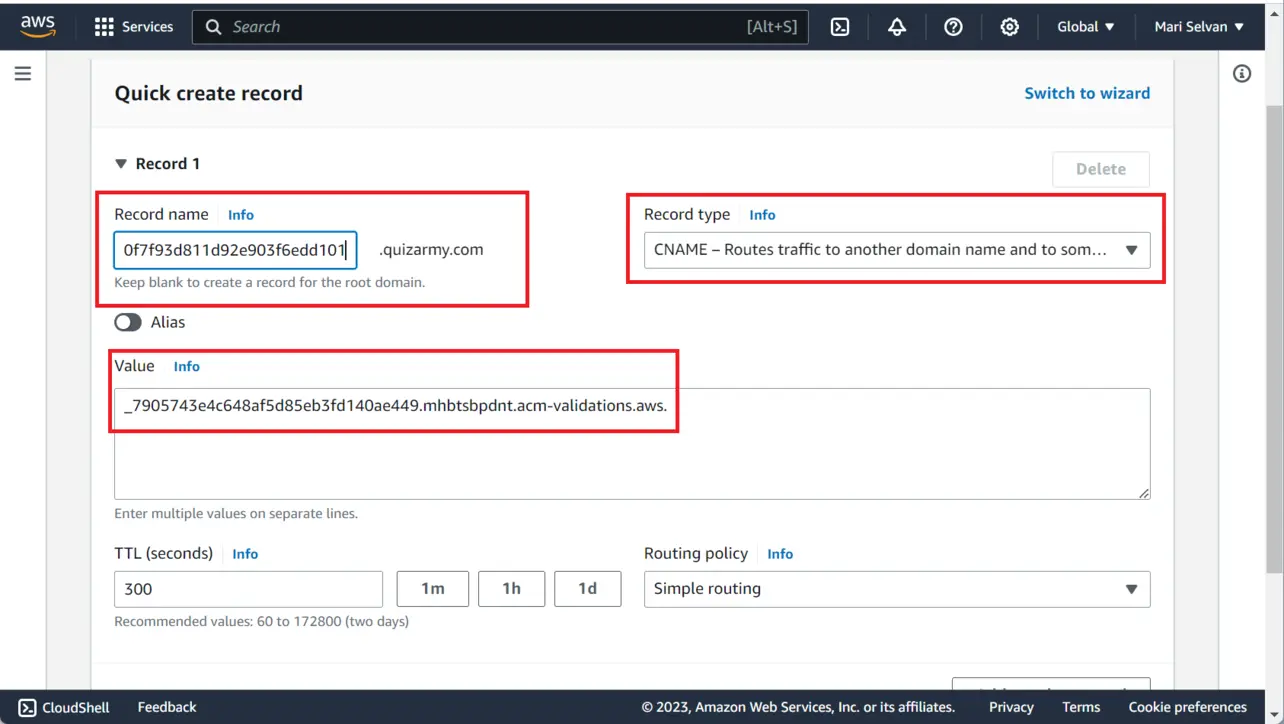
Route 53 and ACM Your hosted zone should list the new validation records.
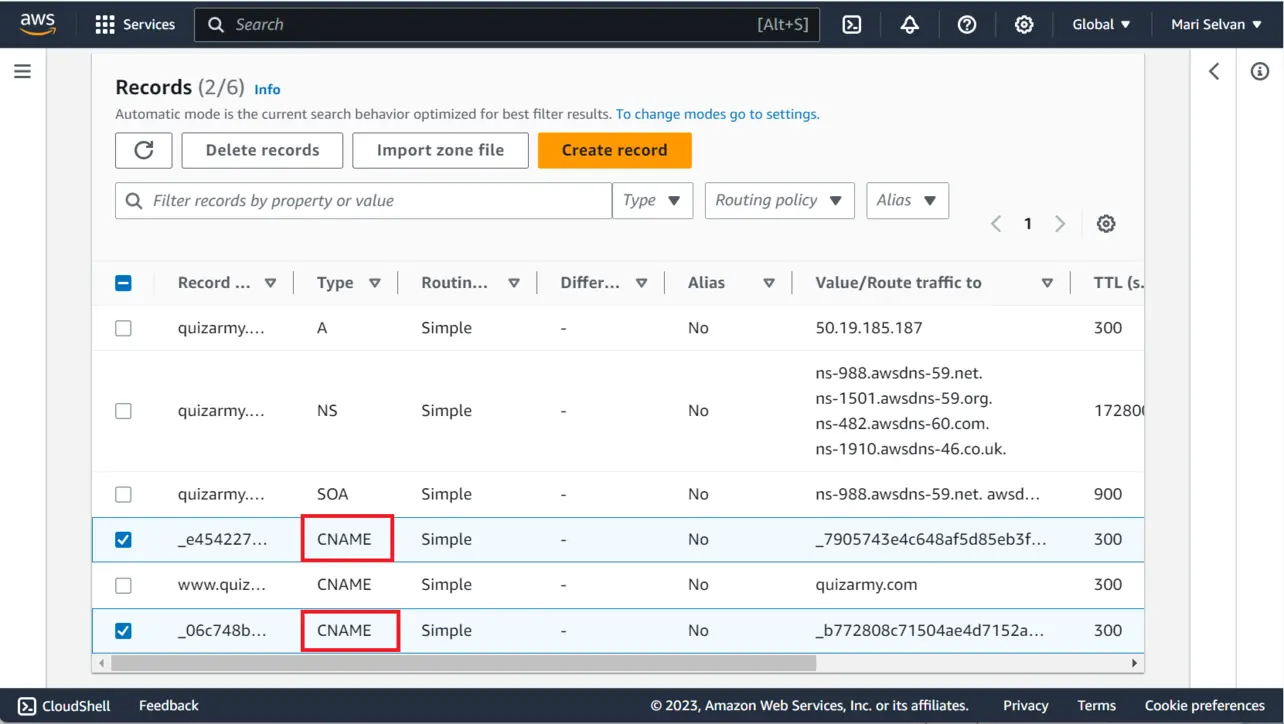
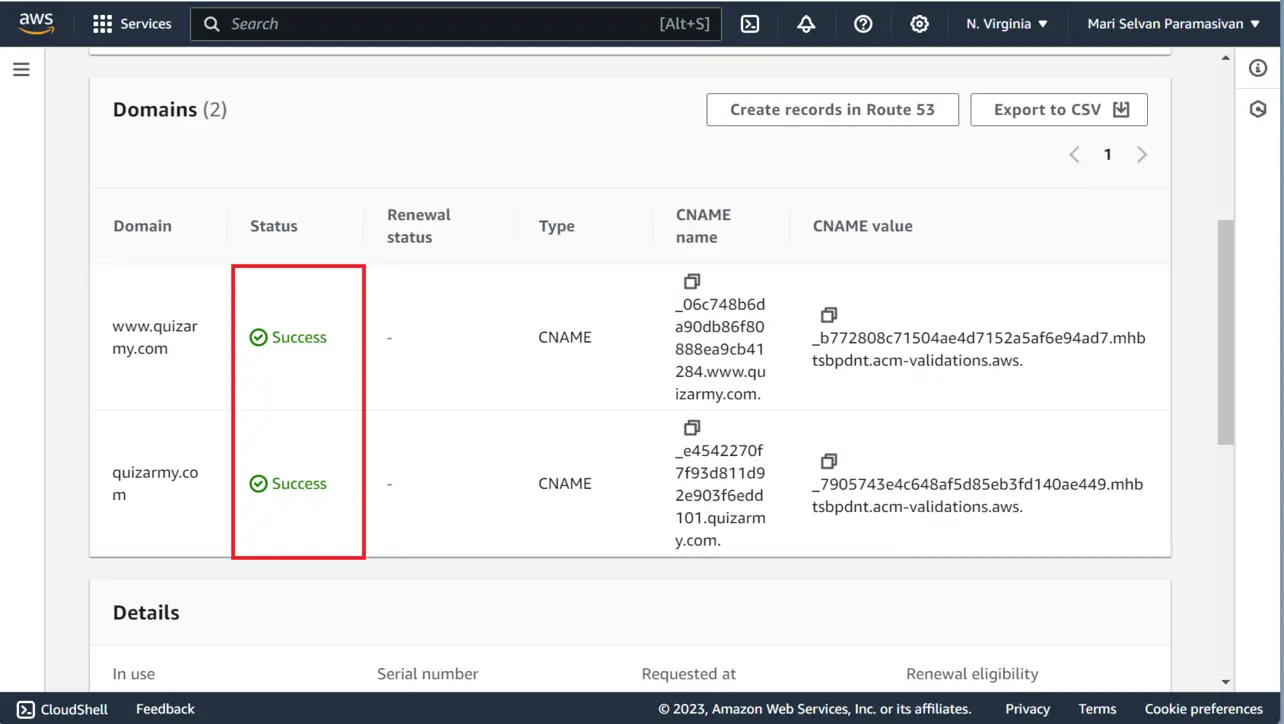
Route 53 After DNS propagates (often within a few minutes), return to ACM and confirm each domain shows Success under validation status.
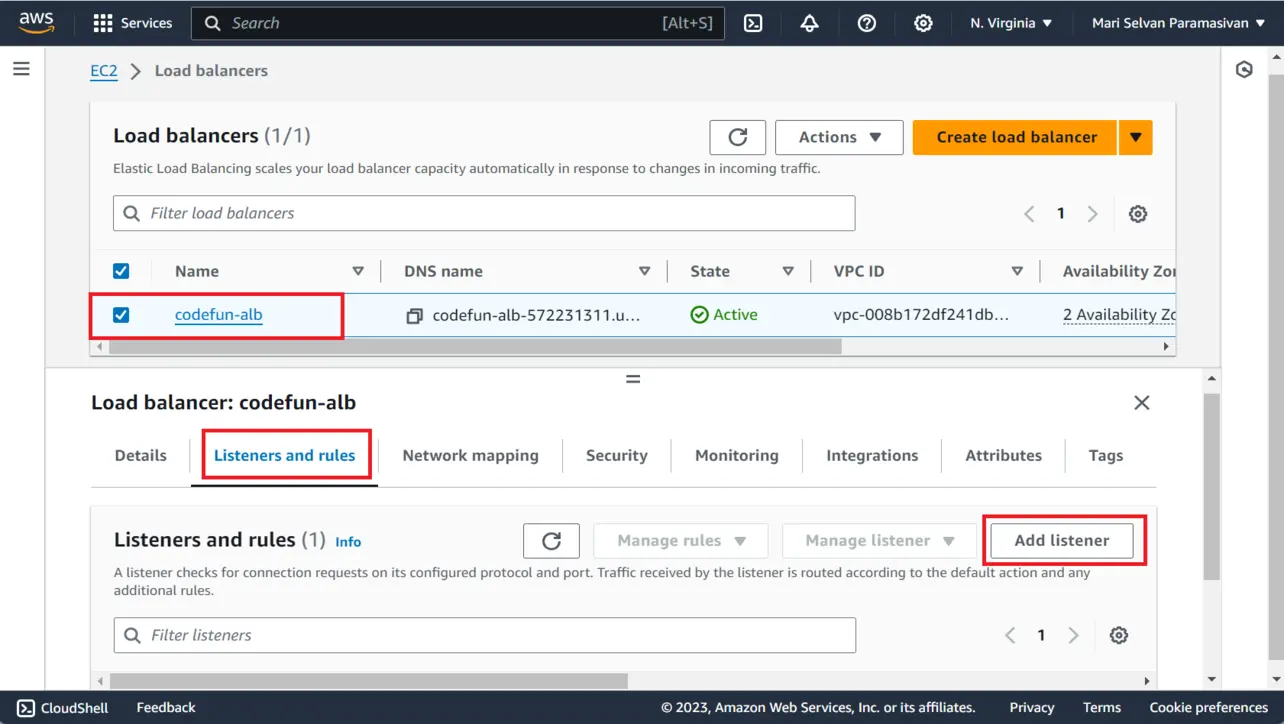
AWS Certificate Manager Open EC2 → Load Balancers, select your ALB, open the Listeners and rules tab, then choose Add listener.
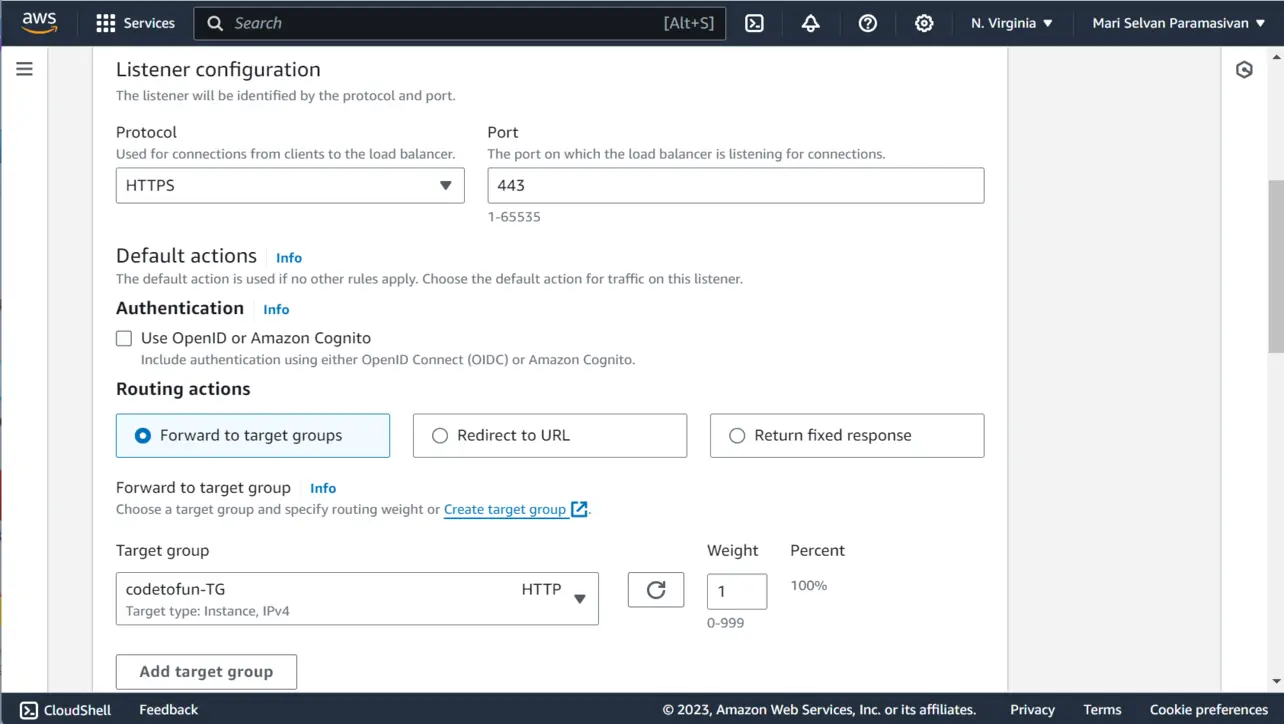
Elastic Load Balancing Under Listener configuration:
- Protocol: HTTPS
- Port: 443
- Default action: Forward to your target group
- Target group: Select the group that serves your application
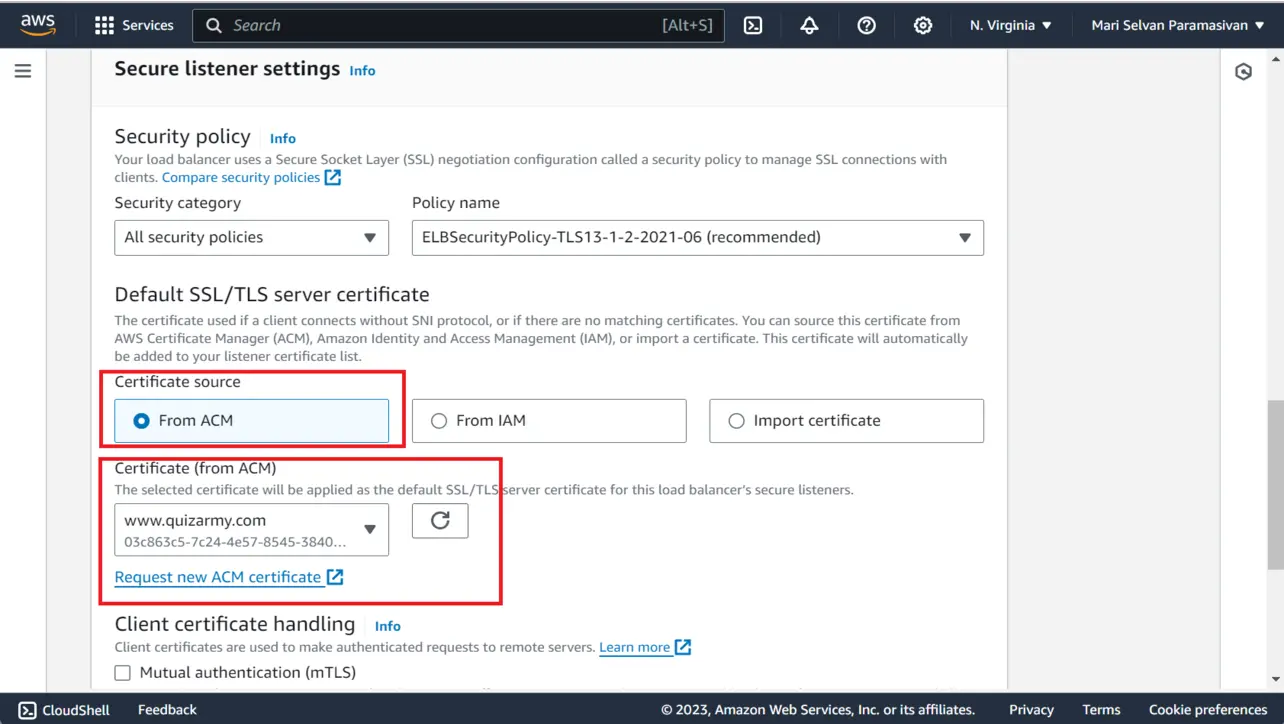
Elastic Load Balancing Under Secure listener settings:
- Certificate source: From ACM
- Certificate: Choose the validated certificate
Elastic Load Balancing Save the listener. Clients can now reach your app over HTTPS on port 443.
Test the secure connection
Verify that browsers trust the certificate and that traffic uses TLS.
- Open a browser.
- Visit your site with
https://(for example https://www.example.com). Confirm the connection is secure and the certificate matches your domain (browser padlock / certificate details).
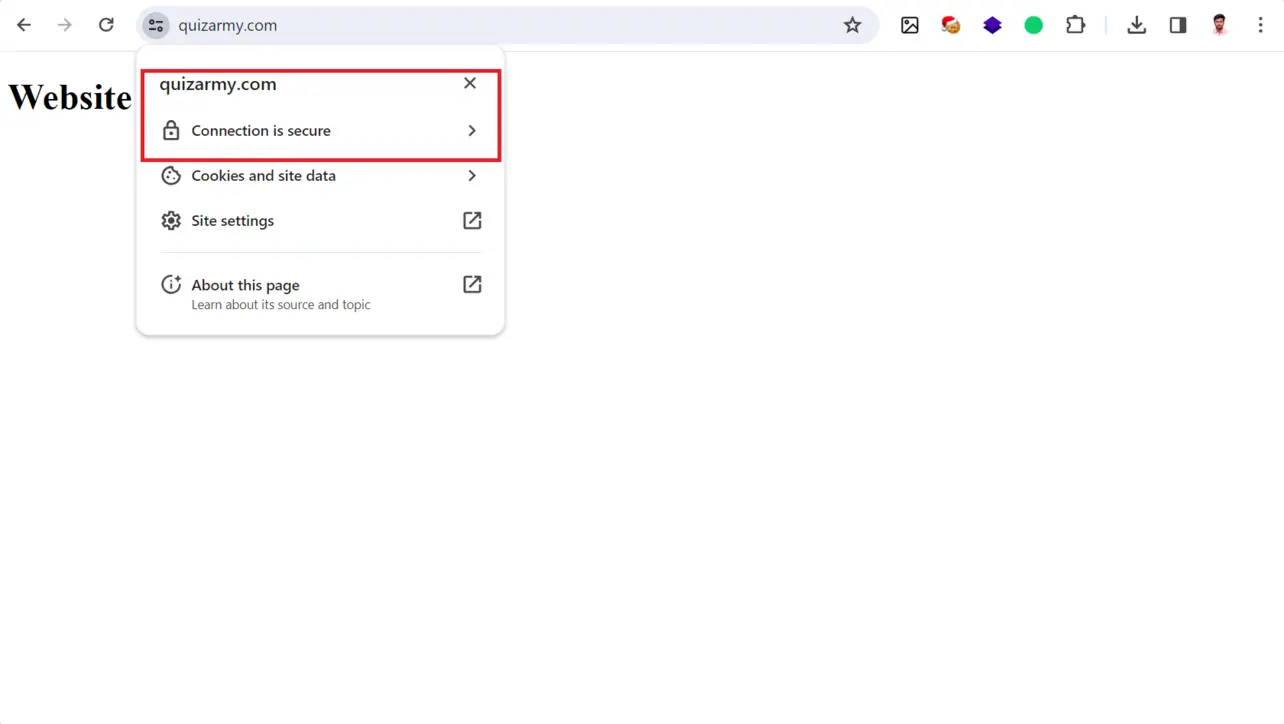
Browser
Renewal and management
Amazon-issued public certificates in ACM are renewed automatically when DNS validation stays healthy. For quotas, private PKI, and import workflows, see the AWS Certificate Manager User Guide. Use the ACM console to monitor status and plan key-algorithm or domain-name changes.
- Review certificate status periodically in ACM.
- Use Amazon EventBridge or other monitoring if you need alerts beyond the console.
Key takeaways
Request a public certificate in ACM and use DNS validation in Route 53 for the simplest renewal story.
Attach the certificate to an ALB HTTPS listener on port 443 and forward to your target group.
ACM can renew validated Amazon-issued certificates automatically; keep DNS records correct.
Frequently asked questions
Keep building on AWS
Pair ACM with Route 53 health checks, ALB rules, and the next guide in this series to harden HTTP→HTTPS and traffic routing.
Public certificates that you request through AWS Certificate Manager and validate with DNS can be renewed automatically by AWS before they expire, as long as the validation records remain in place in Route 53.
About the author


9 people found this page helpful